Introduction
Most Indian homeowners want to upgrade their home’s switches. They have seen the sleek glass panels in showrooms, admired them in a friend’s newly renovated flat, and quietly wished their own home looked and felt that modern.
But one question stops them every time: “Will I have to break my walls for this?”
It is the single biggest barrier to smart home adoption in India — the fear of construction, drilling, expensive rewiring, and weeks of disruption. And for most touch switches for home, the honest answer used to be: yes, probably.
Not anymore.
In 2025, Primezen’s Zen Touch Panels install inside your existing switchboards without a single nail in the wall, without rewiring, and without any civil work whatsoever. A certified installer can upgrade your entire 2BHK in a single day — and every room looks and works completely differently by the time they leave.
This is your complete room-by-room guide to upgrading every space in your Indian home with touch switches — what to install, how it works, and why Primezen is the right choice for homes in Vadodara and across India.
Why “No Wall-Breaking” Is the Key Advantage for Indian Homes
Indian homes — whether they are 5-year-old apartments in Vadodara’s Gotri, 20-year-old bungalows in Alkapuri, or rented flats across any city — share a common feature: they were built without smart home wiring. Adding conventional wired smart systems would require:
- Cutting channels (chasing) in walls to lay new conduits
- Running new wire from switch points to central controllers
- Plastering, painting, and tiling affected areas after installation
- Weeks of disruption to daily life
- Civil work costs running into lakhs
Primezen’s Zen Touch Panels bypass all of this. Designed to fit inside the standard Indian modular electrical boxes already in your walls, the existing wiring connects directly to the panel — no new cables, no channels, no damage to walls, tiles, or paintwork.
Result: a professional smart home upgrade completed in hours, not weeks.
What You Need Before You Start
Almost nothing beyond what you already have:
- Existing switchboards — Primezen panels fit standard Indian modular boxes
- A Wi-Fi router — basic home broadband is sufficient
- The Primezen Gateway — pairs with up to 50 devices, connecting all panels and switches through RF and Wi-Fi. See the Primezen home automation system for full details
- A certified Primezen installer — handles everything from panel fitting to app setup to scene configuration
No rewiring kit. No civil contractors. No plasterers.

Room-by-Room Guide: Touch Switches for Every Space
Living Room — The Showpiece of Your Smart Home
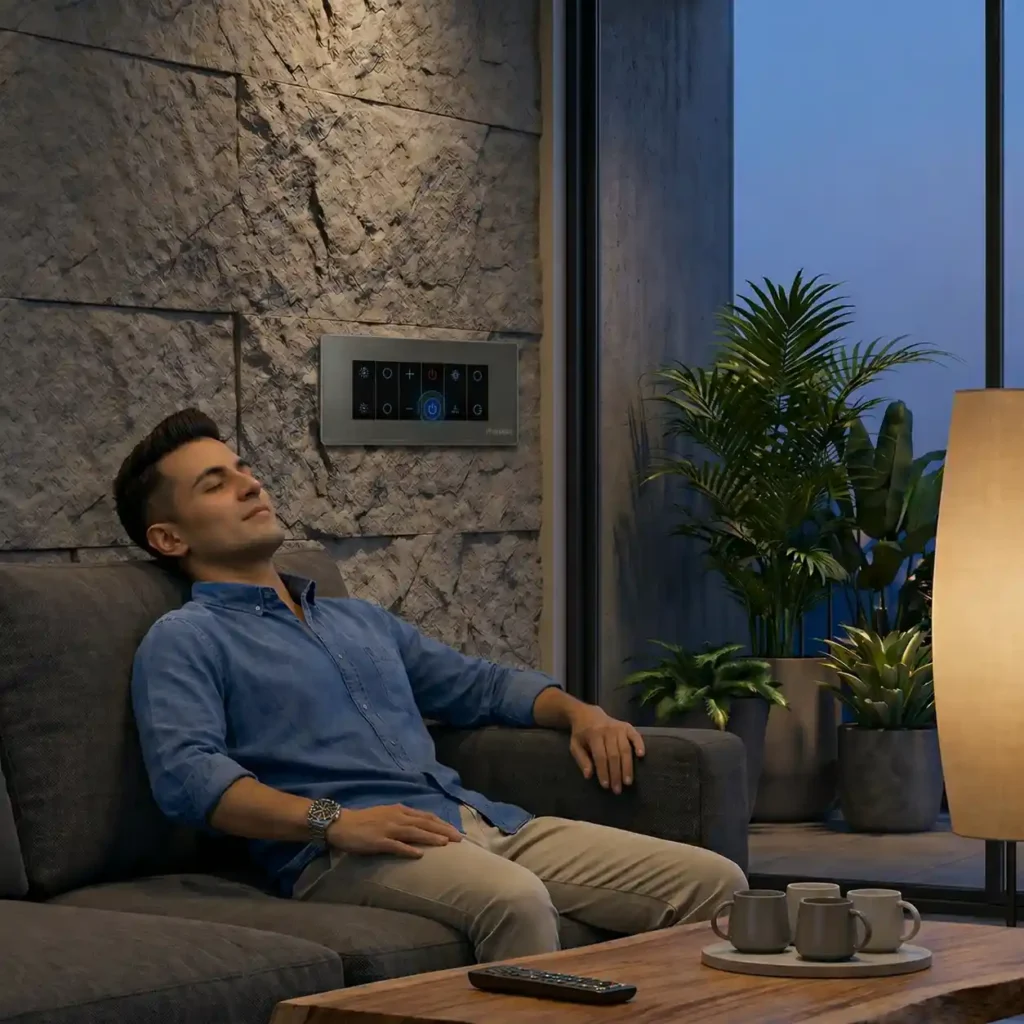
The living room is where touch switches for home make the most dramatic impact. Most electrical points in the house converge here — lights, fan, AC, curtains, entertainment systems.
Recommended panel: ZEN 802 or ZEN 805 (8-module Zen Touch Panel)
Controls:
- Ceiling and accent lights
- Fan with digital speed control (no separate regulator needed)
- Curtain control — open/close motorised curtains from panel or phone
- AC integration
- Master switch — turns everything off with one tap
- 6A plug socket
Smart Scenes:
Scene | What Happens |
Movie Night | Lights at 20%, curtains close, fan on speed 2 |
Good Morning | Curtains open, lights full, fan on |
Away Mode | All off, one lamp on schedule to simulate presence |
Good Night | Everything off with one tap from the sofa |
Installation time: 2–3 hours | Wall breaking: None
Master Bedroom – Total Control From Bed
Recommended panels: ZEN 404 (4-module) at room entry + ZEN 202 (2-module) at bedside
The entry panel manages lights, fan speed, geyser (16A), and curtains. The bedside panel gives instant light and master-off control without getting up.
Smart Scenes:
Scene | What Happens |
Wake Up | Lights gradually brighten, curtains open at alarm time |
Sleep Mode | Lights off, fan on speed 1, AC set to 24°C |
Reading | Bedside light on, ceiling off, fan on low |
Good Night | Everything off — one tap, no getting up |
The child lock feature locks the 16A geyser switch to prevent accidental operation by young children.
Installation time: 1–2 hours | Wall breaking: None
Children’s Bedroom – Safety Meets Daily Convenience
Recommended panel: ZEN 404 (4-module)
Key setups:
- Child lock on all 16A and high-load circuits
- Nightlight automation — lights auto-dim to 10% at bedtime for a gentle transition to sleep
- Motion trigger (with Primezen motion sensor) — lights activate when a child gets up at night, no fumbling in the dark
- App monitoring — check from anywhere if the room light has been left on
- Voice control — older children can say “Hey Google, turn off my light” independently
Installation time: 1–2 hours | Wall breaking: None
Kitchen – Hands-Free Control Where You Need It Most
Recommended panel: ZEN 404 (4-module) near the kitchen entrance
Cooking means occupied hands — voice control and scheduled automation make the kitchen genuinely hands-free.
Key setups:
- Main kitchen and under-counter task lights
- Exhaust fan on a daily timer — automatically runs 6:30–7:30 PM during dinner cooking, then switches off
- Chimney and heavy appliances on the 16A switch
- Kitchen light auto-off after 11 PM if no motion detected (with motion sensor)
- Voice commands through Alexa or Google — “turn on the kitchen light” without touching anything
Installation time: 1–2 hours | Wall breaking: None
Bathroom – Automate the Details That Matter
Recommended panel: ZEN 202 (2-module)
Often overlooked, bathrooms offer some of the most practical daily automations:
- Geyser on schedule — turns on automatically 20 minutes before your usual shower time. Hot water ready. Auto-off after your bathing window. Saves significant electricity every month.
- Exhaust fan timer — runs 15 minutes after bathroom use, maintains air quality automatically
- Bathroom light schedule or motion trigger — never left on overnight again
Installation time: 1 hour | Wall breaking: None
Study / Home Office — Your Perfect Work Environment on Demand
Recommended panel: ZEN 404 (4-module)
With work-from-home now a permanent reality for many Indian professionals, the study deserves a proper smart upgrade.
Smart Scenes:
Scene | What Happens |
Focus Mode | Lights at 100%, fan on medium, AC at 22°C |
Video Call | Lights optimised for on-camera appearance |
Break | Lights dim to 50%, fan adjusts |
End of Day | Everything auto-off at 7 PM — no forgotten appliances |
Installation time: 1–2 hours | Wall breaking: None
Entrance and Corridors — The Smart Welcome Home
Recommended: ZEN 202 (2-module) + Primezen motion sensor
The entrance is where a single smart scene saves you every single day:
- “Goodbye” scene — tap once at the door as you leave. Lights, fans, and non-essential appliances across the entire home switch off simultaneously. No mental checklist. No going back to check.
- Motion-triggered entry light — activates automatically when you approach the door
- Security lighting schedule — entry and corridor lights simulate occupancy with a randomised schedule when you are travelling
- “Welcome Home” automation — when you arrive in the evening, living room lights turn on, fan starts, AC begins — you walk into a perfectly set-up home
Installation time: 1 hour | Wall breaking: None
Balcony and Outdoor Areas
Recommended: ZEN 202 or integration with living room panel
- Sunset-to-sunrise schedule — balcony lights turn on at dusk and off at dawn, automatically, every day, forever
- Motion-triggered security light for after-dark safety
- Garden lights or water pump on a consistent timer
Installation time: 1 hour | Wall breaking: None
How the Primezen Ecosystem Connects Every Room
Individual room upgrades are useful. But the full power comes when all your rooms connect through one system:
One Gateway links every Zen Touch Panel and wireless kinetic switch in your home through RF 433 MHz and Wi-Fi. It is the brain of your entire home automation system.
One App shows every room, every device, every scene on a single dashboard. Turn off your entire home before a holiday — one tap. Activate your “Good Night” routine across every room simultaneously — one tap.
One Voice — Alexa, Google Assistant, or Siri can control any device in any room or run whole-home scenes with a single spoken command.
Unlimited expansion — add panels room by room as your budget allows. Every new panel connects to the same Gateway and app instantly. No re-setup, no starting over.
Primezen’s wireless kinetic switches complement the touch panels perfectly — adding battery-less wireless controls at bedside tables, reading chairs, or any location where a wall-mounted panel is not practical. Together, they form a complete smart home automation ecosystem.
Complete Home: Estimated Setup at a Glance
Room | Panel | Key Controls | Install Time |
Living Room | ZEN 802 / ZEN 805 | Lights, fan, curtain, AC | 2–3 hrs |
Master Bedroom | ZEN 404 + ZEN 202 | Lights, fan, geyser, curtain | 1–2 hrs |
Bedroom 2 | ZEN 404 | Lights, fan, appliances | 1–2 hrs |
Kids’ Bedroom | ZEN 404 | Lights, fan, child lock | 1–2 hrs |
Kitchen | ZEN 404 | Lights, exhaust, appliances | 1–2 hrs |
Bathroom | ZEN 202 | Geyser, exhaust, light | 1 hr |
Study / Office | ZEN 404 | Lights, fan, AC zone | 1–2 hrs |
Entrance / Corridor | ZEN 202 | Entry light, corridor | 1 hr |
Total for a 3BHK: 6–8 hours — completed in a single day Wall breaking required: None Rewiring required: None
Conclusion
Upgrading your home with touch switches is one of the highest-impact improvements you can make to both the appearance and functionality of every room — and with Primezen’s Zen Touch Panels, it requires breaking absolutely zero walls.
Room by room, at your own pace, every space in your Indian home can be transformed. Living room to bathroom, kitchen to children’s bedroom — one Gateway, one app, one voice command, and a home that works for you rather than the other way around.
Your walls stay exactly as they are. Your home feels completely different.
Ready to upgrade your home’s touch switches without any construction headache?