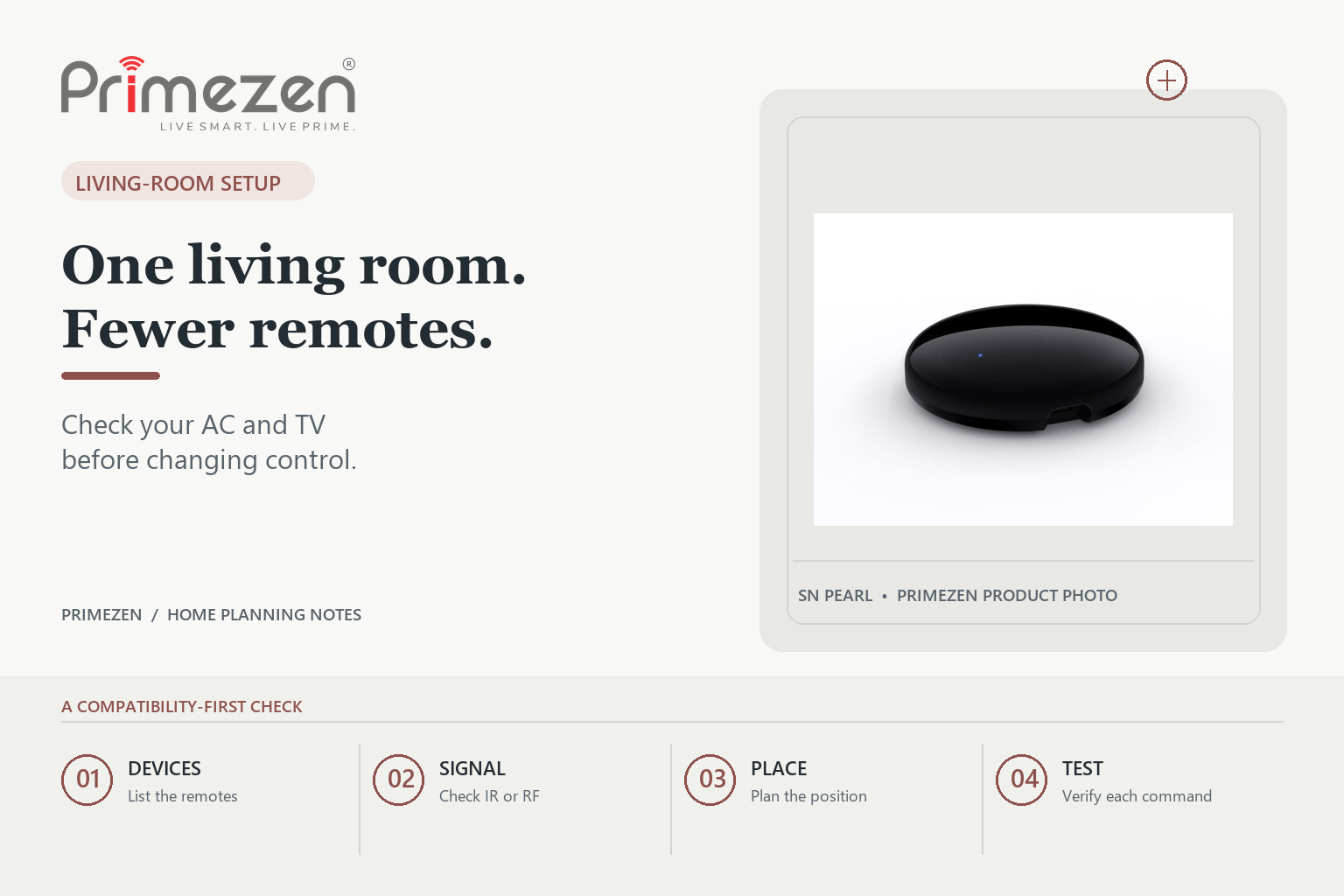
Choosing a universal remote for your AC and TV starts with the appliances in your living room, not a promise that one universal remote will operate everything. PrimeZen’s SN Pearl supports RF and IR appliances, but your exact AC and TV models still need checking. Use this checklist to decide where it could sit and which commands matter to your household.
Choose a universal remote around what you actually use
Put the AC and TV remotes on the table and write down their brand and complete model numbers. A set-top box or soundbar may have separate commands too. The fact that two devices both have remotes does not prove that one universal remote can reproduce both sets of commands. Treat compatibility as a model-specific question, not a category-level guarantee.
List actions you repeat in a typical evening. For the AC, that may mean power, temperature, mode, fan speed, and swing; for the TV, power, volume, input selection, and navigation. If you use a set-top box, identify which remote changes channels. A universal remote that handles only power and volume may leave the original remotes in daily use. Build your universal remote checklist around what people press, not just a product page.
IR and RF: identify what your appliances need
IR means infrared, used by many conventional appliance remotes. RF means radio frequency, used by some other devices. SN Pearl’s product page says it supports RF and IR appliances; it does not list compatible models for your room. Ask PrimeZen whether this universal remote supports your exact models and commands before assuming either signal type will work.
Check appliance labels or manuals and describe unusual behaviour when you enquire. Does the TV remote need to be aimed at the screen? Does the AC remote display a temperature independently of the indoor unit? Such observations help frame a universal remote support question, but they are not a definitive protocol test. Record model numbers rather than inferring support from appearances.
Appliance compatibility checklist
- AC model: Record the indoor-unit model and remote model; ask whether power, temperature, mode, fan speed, and swing can be controlled as required.
- TV model: Record the television model; check power, volume, mute, input selection, and any navigation keys you rely on.
- Other boxes: List a set-top box, streaming box, or soundbar separately. Do not treat the TV remote as proof that these devices are covered.
- Signal and setup: Ask which of your devices use supported IR or RF commands, whether a usable control profile is available, and how each model is paired or configured.
- Exceptions: Note uncommon buttons, replacement remotes, or a changed appliance control board; request a demonstration or confirmation for the commands that matter most.
Keep the original remotes until each key universal remote action has been tested on your appliances. If you are comparing PrimeZen options, the universal remote control overview explains the broader category, while the SN Pearl page gives that model’s specifications. Neither replaces a compatibility check for your exact AC and TV.
Plan the placement around your living room
For universal remote placement, note PrimeZen’s listed infrared range of up to 8 metres for SN Pearl. That is a maximum, not a promise of operation through furniture. Sketch the TV, AC indoor unit, power source, and proposed controller position. Measure approximate paths to both appliances and check the room during setup. A cabinet or rearranged furniture can change the result.
Do not assume a universal remote’s RF support makes an IR appliance controllable from anywhere, or that a particular line-of-sight arrangement always works. Test placement and commands on both appliances before fixing the controller in place. If the TV and AC are on different walls, try power and several other functions from the proposed spot. If responses vary, change the position or discuss the layout with PrimeZen.
For this universal remote, SN Pearl lists 2.4 GHz Wi-Fi. Confirm a suitable 2.4 GHz network at the proposed position and ask what setup applies to your router and phone. Do not assume a 5 GHz-only network suffices. Plan a safe power location too; the product page cannot verify your network strength at that spot.
Set up for a normal evening, not a showroom demo
Configure the universal remote appliance by appliance. Add the TV first, then test power, volume, mute, inputs, and navigation where applicable. Next add the AC and check temperature, mode, fan speed, and settings you use. If a command is missing or behaves differently from the original remote, mark it unresolved. Do not claim the universal remote replaces the AC handset if a needed mode is missing.
Ask whoever configures the universal remote to label each device clearly: TV, set-top box, and AC. Run the same test from usual seats, not only beside the equipment. Switch the TV to your usual input, then adjust the AC to a familiar setting. Let someone who did not configure the system try the sequence and note where they hesitate.
Keep a simple universal remote setup record: model numbers, commands that passed, controller location, and functions still requiring an original remote. If an appliance is replaced, repeat the check for its new model. A universal remote is useful when it simplifies a real routine; a tidy control screen is not enough if essential buttons are unreliable.
Test recovery as well as first-time setup. Ask whether the displayed AC setting stays in sync if someone uses the original handset, the power goes off, or the Wi-Fi disconnects; verify the behaviour on your own appliance rather than assuming an answer. Try your usual TV input and AC settings again after the system reconnects. Keep the original remotes accessible for guests and troubleshooting. This makes the universal remote test closer to ordinary living-room use than a quick on/off demonstration.
Questions to settle before choosing
Before choosing a universal remote, request confirmation for your AC and TV models, required functions, and room layout. PrimeZen describes smartphone and voice control, but verify any intended voice workflow for the exact product, integration, and installation. Do not make it a deciding factor from a general category description alone.
Ask what happens if a universal remote command cannot be configured and what the installer needs to investigate it. List any other appliances you may add rather than assuming RF and IR support covers every device. A careful universal remote decision rests on daily functions, not a theoretical count of replaced remotes.
Frequently asked questions
Will SN Pearl work with any AC and TV?
No universal compatibility is established by the product description. Share the full model numbers and the required commands with PrimeZen, and confirm operation on your actual appliances before relying on it as a replacement for their remotes.
Can I use it if my router has only a 5 GHz network?
SN Pearl lists 2.4 GHz Wi-Fi. Ask about a suitable 2.4 GHz network and your specific router setup before installation; do not assume a 5 GHz-only network meets the listed specification.
Does the stated 8-metre IR range guarantee control across my living room?
No. The product page states an infrared range of up to 8 metres. Actual operation depends on the appliance and placement; test the commands from the proposed controller position rather than treating the figure as a room-wide guarantee.
Will voice control or every button on my original remote be available?
Do not assume either. Confirm the exact appliance commands, configuration, and any intended voice integration with PrimeZen for your particular setup. Keep the original remotes until the important functions have been checked.
A practical universal remote choice begins with model numbers, an honest command checklist, and a placement test in the room where you live. If you have your AC and TV details ready, contact PrimeZen to ask which functions can be verified for your appliances and what setup would be appropriate for your living room.