
Introduction
Have you ever switched off the bedroom light, walked to bed and wished there was another switch next to you?
Or perhaps you have a staircase where the light can only be controlled from one floor. Adding another switch sounds simple until an electrician tells you that new wiring has to be run through the wall.
Traditionally, creating a two-way switching setup requires electrical wiring between multiple switch points. In an already finished home, that can mean cutting walls, pulling cables, repairing plaster and repainting the area.
A wireless two-way switch offers a much cleaner solution.
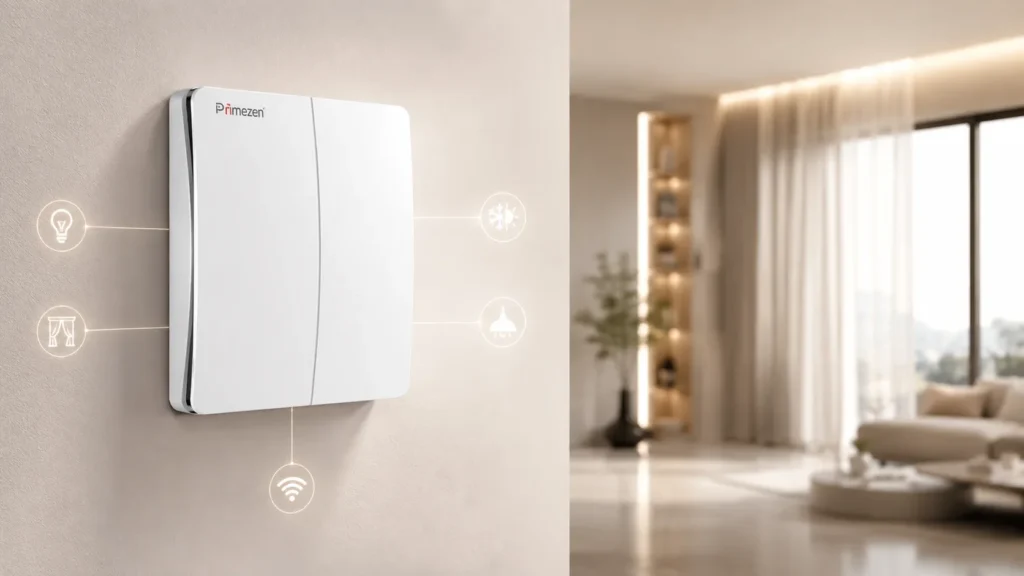
With modern wireless switching technology, homeowners can add an additional control point without running new wires to that switch location. Primezen takes this concept further with battery-free kinetic switches that generate the small amount of energy required to send a wireless command every time the switch is pressed.
So how does it work, and where does it make sense to use one?
Let’s understand.
What Is a Two-Way Light Switch?
A two-way switch allows the same light or electrical circuit to be controlled from two different locations.
One of the most common examples is a staircase.
You switch the light ON from the ground floor.
After reaching the first floor, you switch the same light OFF from another switch.
Another common example is a bedroom where one switch is installed near the entrance and another is placed beside the bed.
The same principle is useful in:
- Staircases
- Bedrooms
- Long corridors
- Living rooms
- Large halls
- Kitchens
- Home entrances
- Duplex homes
In conventional electrical systems, creating these additional switching points requires physical wiring between the switches.
That is easy to plan during construction.
It becomes much more difficult after the home is finished.
Why Adding a Traditional Two-Way Switch Can Be Difficult
Suppose your bedroom already has a switch near the door.
Now you want another switch beside the bed.
With conventional wiring, an electrician may need to create a wiring route between the existing switchboard and the new switch point.
Depending on the house, this could involve:
Wall cutting
A channel may need to be created inside the wall.
Additional electrical wiring
New wires have to connect the two control points.
Civil work
The wall needs to be repaired after installation.
Painting or finishing
The repaired area may need repainting.
Fixed switch position
Once the switch is wired into the wall, moving it later becomes difficult.
This may be reasonable during new construction.
For a finished apartment, renovated bungalow or premium interior, however, breaking a wall just to add another switch is rarely attractive.
That is where wireless switching becomes useful.
What Is a Wireless Two-Way Switch?
A wireless two-way switch creates an additional control point without requiring conventional wiring between the two switch locations.
Instead of sending the switching command through a physical wire, the wireless switch communicates with a compatible controller using radio-frequency communication.
Primezen’s wireless automation system uses RF-based communication alongside Wi-Fi connectivity. Its kinetic switches are self-powered, meaning the press itself generates the energy required to transmit the command.
This changes the way additional switches can be installed.
Instead of asking:
“How do we take wiring to this location?”
you can start asking:
“Where would the switch actually be most convenient?”
That is the real advantage of wireless switching.
How Does Primezen’s Battery-Free Wireless Switch Work?
A normal wireless device usually needs one of two things:
- A wired power supply
- A battery
Primezen’s kinetic switch uses a different approach.
When you press the switch, the mechanical movement generates a small amount of electrical energy.
That energy is used to transmit an RF signal to the connected controller.
The controller then performs the configured action, such as switching a light ON or OFF.
Because the switch generates its own operating energy, it does not require a battery at the switch point. Primezen states that its kinetic switches require no wiring or battery and can communicate through RF with compatible controllers.
This makes the switch particularly useful for retrofitting finished homes.
How Can a Wireless Switch Create Two-Way Control?
Consider a bedroom.
You already have your main lighting control near the entrance.
You now want another switch beside your bed.
With a Primezen-compatible setup, an additional kinetic wireless switch can be paired with the relevant smart controller.
The wireless switch can then be installed in the convenient second location.
The result is simple:
At the entrance:
Control the bedroom light.
Beside the bed:
Control the same light.
No new wiring needs to run between those two switch locations.
Primezen’s system also supports pairing multiple switches with compatible controller equipment, allowing flexible control-point configurations depending on the selected product and setup.
Any mains-side controller installation or electrical modification should still be carried out by a qualified electrician.
Best Places to Use a Wireless Two-Way Switch
1. Beside the Bed
This is probably the most practical application.
Instead of getting out of bed to switch off lights, add a wireless switch near:
- The bedside table
- Headboard
- Side wall
You get another control point without disturbing the bedroom interiors.
2. Staircases
Staircases naturally need convenient lighting control from both ends.
A switch can be available downstairs and another upstairs without creating an additional wiring route between the control points.
This is especially useful when upgrading an existing home.
3. Long Corridors
Long hallways often have a switch only at one end.
A wireless switch can provide another convenient control point at the opposite end.
You no longer need to walk back across the corridor simply to turn off the light.
4. Large Living Rooms
Large living spaces frequently have multiple entrances.
A single conventional switchboard might not be convenient from every side of the room.
Wireless switching makes it possible to position additional controls where they actually make sense for daily use.
5. Renovated Homes
Finished interiors create one major challenge for electrical upgrades:
You do not want to damage them.
If expensive paint, wallpaper, wall panels, tiles or furniture are already installed, running new electrical wiring can become unnecessarily disruptive.
Wireless switches allow smart controls to be introduced with much less structural intervention.
Primezen specifically positions its wireless system as suitable for retrofit smart-home upgrades without wall breaking or rewiring at the wireless switch point.
Wireless Two-Way Switch vs Traditional Two-Way Wiring
Feature | Traditional Two-Way Switch | Wireless Two-Way Switch |
Wiring between control points | Required | Not required at wireless switch point |
Wall cutting in finished homes | May be required | Usually unnecessary for switch placement |
Switch placement | Limited by wiring | Much more flexible |
Battery | Not required | Primezen kinetic switch does not require one |
Easy to reposition | No | Yes, depending on mounting |
Suitable for retrofit | Possible but disruptive | Highly suitable |
Smart-home integration | Usually limited | Available with compatible controllers |
RF control | No | Yes |
App/voice integration | Not normally | Available through compatible smart-home setup |
Primezen combines kinetic switching with RF and Wi-Fi connectivity, while its broader automation ecosystem supports touch, mobile and voice-based control.
Does a Wireless Switch Need Wi-Fi to Work?
This is an important distinction.
Wireless does not automatically mean Wi-Fi.
Primezen’s kinetic switches communicate locally using RF technology. This means basic paired switching does not have to depend solely on an internet connection.
Wi-Fi becomes relevant when using connected functions such as remote mobile-app access or internet-dependent voice services.
Primezen describes its system as using hybrid RF + Wi-Fi connectivity, with local RF control designed to remain available even during internet interruptions.
That is useful because a wall switch should still behave like a wall switch, rather than becoming useless whenever your broadband connection goes down.
Does a Wireless Kinetic Switch Need a Battery?
Primezen’s kinetic switch does not.
Every switch press generates the electrical energy required for the wireless transmission.
This removes one of the common inconveniences of conventional battery-powered wireless switches: replacing batteries.
Primezen describes its kinetic switching technology as self-powered and battery-free.
For frequently used switches around the home, that can make the system much easier to maintain.
Can You Move the Switch Later?
One advantage of a wireless switch is placement flexibility.
Because there is no electrical wire running directly to the kinetic switch, you are not permanently tied to one conventional switch-box location.
That can be useful if:
- Furniture layout changes
- A bed is moved
- The room is renovated
- A child grows and needs easier switch access
- An elderly family member needs a more convenient control point
- You decide another location would simply work better
A home changes over time.
Your switch layout can adapt with it.
Wireless Switching for Existing Homes
Smart-home discussions often focus on newly constructed luxury homes.
But wireless technology may actually provide greater value in existing homes.
In a new property, additional wiring can be planned before plastering and painting.
In an existing property, the same change becomes much more disruptive.
Wireless switching provides a retrofit path for homeowners who want better control without rebuilding their electrical layout.
Primezen’s technology is designed for both new and existing homes and emphasises installation without new wiring at the wireless switch location.
Wireless Switches and Touch Panels Can Work Together
Choosing a wireless switch does not necessarily mean choosing between wireless controls and premium touch panels.
They can serve different purposes.
For example:
Main entrance:
Primezen Zen Touch Panel
Bedside:
Primezen wireless kinetic switch
Phone:
Mobile app control
Voice:
Compatible voice assistant
Primezen’s touch-panel range supports functions including two-way operation, mobile application control, voice activation, remote operation, scenes, timers and schedules.
This creates multiple ways to interact with the same home rather than forcing every family member to use an app.
Is a Wireless Two-Way Switch Worth It?
If you are constructing a new home and all electrical points are already properly planned, conventional wiring can still make sense.
Wireless switching becomes especially attractive when:
- The home is already finished
- You want another switch without damaging walls
- You want bedside controls
- You need additional staircase controls
- The existing switch location is inconvenient
- You are renovating only part of the home
- You want to expand automation gradually
- You want flexible control points
The value is not simply that the switch is wireless.
The real value is freedom from the physical location of electrical wiring.
Frequently Asked Questions
1. Can I install a two-way light switch without new wiring?
Yes. A compatible wireless switching system can provide another control point without running conventional switch wiring to the new wireless switch location. A controller still has to interface correctly with the electrical load.
2. Does Primezen's wireless switch require batteries?
No. Primezen’s kinetic wireless switches generate the small amount of energy needed for communication when the switch is pressed.
3. Does the wireless switch work if the internet is down?
Primezen uses RF communication for local wireless control alongside Wi-Fi for connected functionality. Local paired control therefore does not rely solely on internet connectivity. App or cloud-based voice features may depend on network availability.
4. Can I install a wireless switch beside my bed?
Yes. This is one of the most useful applications of wireless switching because it creates a second convenient control point without routing another switch wire through the bedroom wall.
5. Can more than one wireless switch control the same device?
Primezen states that its compatible equipment can support multiple switch pairings. The exact number and configuration depend on the selected controller and product setup.
6. Is a wireless switch suitable for an old home?
Yes. Retrofit installations are one of the strongest use cases because the wireless switch point can be added without major civil work or rewiring.
Make Your Existing Home Smarter Without Breaking the Walls
Making your home smarter should not automatically mean reopening finished walls or redesigning your entire electrical system.
A wireless two-way switch gives you the flexibility to place controls where you actually need them, whether that is beside your bed, at the opposite end of a corridor or on another floor of your home.
With Primezen’s battery-free kinetic wireless technology, additional control points can be introduced without batteries or new wiring at the switch location, while compatible RF, Wi-Fi, touch, app and voice controls help create a more flexible smart-home experience.
Want to upgrade your existing switches without unnecessary wall breaking?
Explore Primezen Wireless Switches and Smart Home Automation Solutions and create a home designed around the way you actually use it.