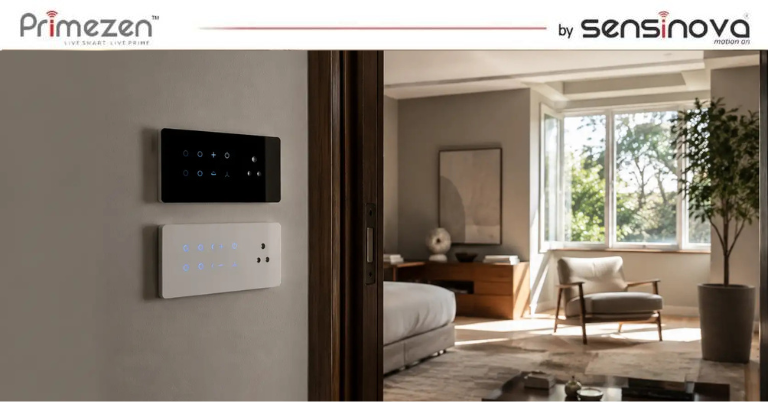
Introduction You have decided on touch panel switches. You have chosen Primezen. Now comes the practical question that every homeowner, interior designer, and electrician faces: how many modules do you need for each room? Get it wrong and you either end up with multiple panels on one wall (cluttered), or a single panel without enough switching points for all your loads (inconvenient). Get it right and every room has a clean, perfectly functional touch panel that controls everything it needs to — elegantly. This is Primezen’s complete room-by-room module selection guide for Indian homes. Understanding Modules: What Each Module Controls A “module” in a touch panel switch is one switching point — one on/off (or dimmer) control for one electrical circuit. Examples: 1 module = controls 1 light circuit OR 1 fan OR 1 socket A 4-module panel = 4 individual switching points on one glass panel An 8-module panel = 8 switching points — controls a full room’s electrical circuits from one panel Common module types available in Primezen’s Zen Touch Panel range: Standard on/off switch module Fan regulator module (speed control) Dimmer module (for dimmable lights) 2-way/3-way switch module (for staircase/corridor) Bell/call module USB charging module 5A socket module Room-by-Room Module Selection Guide Living Room / Drawing Room Typical electrical loads: Main ceiling light or chandelier Cove/ambient lighting (1–2 circuits) Ceiling fan (1–2 fans) AC point (if separate switch) Wall light or reading light Power socket for entertainment system Recommended module count: 6–8 modules A living room is where you want the most control and the most impressive aesthetics. An 8-module Primezen Zen panel covering all lights, fans, and mood lighting gives the room a single, elegant control point. Suggested configuration (8-module): Main light | Cove lights 1 | Cove lights 2 | Reading light | Fan 1 | Fan 2 | AC | Entertainment socket Master Bedroom Typical loads: Main ceiling light Bedside ambient/reading light (1 or 2 circuits) Ceiling fan AC (if switched at panel) Dressing area light USB charging or socket Recommended module count: 4–6 modules The master bedroom benefits from a 4 or 6-module panel at the door, with a 2-module panel at each bedside for light and fan control without getting up. Suggested configuration (6-module door panel): Main light | Reading light | Fan | Dressing light | AC | Socket Bedside panel (2-module per side): Bedside light | Fan Children’s Bedroom Typical loads: Main ceiling light Study table light Fan Power socket Recommended module count: 4 modules Children’s rooms are simpler — a 4-module panel handles the typical requirements cleanly. Suggested configuration: Main light | Study light | Fan | Socket/USB Guest Bedroom Typical loads: Main ceiling light Bedside light Fan AC Kitchen Typical loads: Main kitchen light Under-cabinet task light Exhaust fan Geyser/water heater Chimney (if separate switch) Recommended module count: 4–6 modules Important note for kitchens: Avoid touch panels directly above cooking areas where steam, grease, and heat are concentrated. Place the panel on a side wall away from the hob. Flat glass surface makes kitchen panels easy to wipe clean — one of touch panels’ best practical features. Bathroom / Washroom Typical loads: Main light Exhaust fan Geyser / water heater Recommended module count: 2–4 modules A 2-module panel typically suffices for a standard bathroom (light + exhaust fan), with a 4-module panel for bathrooms with a geyser or additional circuits. Important: Ensure touch panels in or near wet areas comply with appropriate IP ratings for humidity resistance. Pooja Room / Prayer Room Typical loads: Main light Decorative lights (1–2 circuits) Bell Recommended module count: 2–4 modules Dining Room Typical loads: Main dining light Pendant / mood light (dimmer preferred) Fan Recommended module count: 4 modules (include a dimmer for ambient dining atmosphere) Home Office / Study Room Typical loads: Main ceiling light Task/desk lamp circuit Fan Computer/printer socket Recommended module count: 4 modules Garage / Utility Room Typical loads: Main light Power socket Recommended module count: 2 modules (Modular switches are also acceptable in utility/garage areas — touch panels may not add aesthetic value here) Corridor / Staircase Typical loads: Staircase lights (2-way switching — on from both levels) Night light (if separate) Recommended module count: 2-module panel at each level with 2-way switch configuration Summary Guide: Module Count by Room Room Minimum Modules Recommended Maximum (Full Feature) Living Room 4 6 8 Master Bedroom (door panel) 4 6 8 Bedside panels (per side) 1 2 2 Children’s Bedroom 2 4 4 Guest Bedroom 2 4 4 Kitchen 3 4 6 Bathroom 2 2 4 Dining Room 2 4 4 Home Office 2 4 4 Pooja Room 2 2 4 Corridor/Staircase 2 per level 2 per level 2 per level Planning Tips for Touch Panel Module Selection Tip 1: Think in Rooms, Not Switches Don’t think about individual switches — think about all the electrical circuits in the room and how you want to group them on a single panel or across multiple panels. Tip 2: Plan for Future Circuits Leave one or two extra modules on your panel for future additions — an extra light, a USB charging point, or smart home control. Adding a circuit later is much easier when the panel already has an empty slot. Tip 3: Use Primezen’s Smart Integration If you plan to add smart home control, each module in a Primezen Zen Touch Panel can be paired with an RF receiver — allowing phone app control, scene setting, and automation without replacing the panel. Tip 4: High-Load Circuits For high-load circuits (geysers above 2 kW, ACs, ovens), ensure your touch panel module and wiring are rated for the load. Primezen’s technical team can advise on appropriate module selection for high-load circuits. Tip 5: Consult During Construction The best time to plan your touch panel module layout is during the electrical rough-in phase of construction — when conduit and wiring positions are being finalised. Changing module counts post-construction is expensive. Frequently Asked Questions Q1. Can I mix different module types in… Continue reading How to Choose the Right Touch Panel Module for Every Room: 2, 4, 6, or 8 Module – Primezen Complete Guide
Category: Touch Panel Switchboard
Easy Home Automation for Existing Residential Spaces
Have you ever scrolled through social media and felt a pang of envy seeing those incredible smart homes that seem to operate themselves? You might have thought, “That’s amazing, but my home is an existing residential space, not a new build. I can’t do that without tearing down walls.” Well, think again. The world of home automation in India has undergone a dramatic evolution, ushering in a new era of effortless smart living. Thanks to innovative touch switch board for Indian modern apartment, you no longer need to undertake a messy, expensive renovation to make your home intelligent. The answer lies in retrofit, or wireless, automation solutions that fit seamlessly into your existing living space. This is especially true for residents in bustling metro cities like Mumbai, Delhi, Bengaluru, and Chennai, where time and space are precious commodities. The Power of Retrofit Smart Touch Switch Board The core of this revolution is a range of incredible home automation products that are designed to be installed without any major structural changes. They work by fitting behind your existing switchboards, connecting to your Wi-Fi, and giving you an entirely new way to control your home. For the modern urban dweller in a fast-paced city, this means no need to deal with noisy, dusty, and time-consuming renovations. One of the most powerful examples of this technology is a product like the Primezen Zen Touch Switch. It is the perfect entry point into a modern, connected lifestyle. By simply replacing your traditional switches, you gain a powerful control centre that connects to a world of possibilities. You get to keep your current wiring, and your home décor remains untouched. It’s a win-win. Complete Home Automation at Your Fingertips What does this technology really mean for your day-to-day life? The applications are as vast and varied as your needs. Imagine this, whether you are in your apartment in Gurugram or a flat in Pune: A Seamless Welcome: As you arrive home after a long day, your living room lights can automatically turn on to a soft, relaxing glow. No more fumbling for switches in the dark. The Perfect Mood: Hosting a movie night? With a single command on your smartphone or a voice command to your smart assistant, you can dim the lights, switch on the entertainment system, and set the perfect mood without ever leaving the sofa. Safety and Security: Have you ever left for vacation and worried that you forgot to turn off a light or an appliance? With a wireless solution, you can check the status of every device from your phone, regardless of your location. You can even set up “make-believe occupancy” scenes that turn lights on and off remotely to deter potential intruders. This is a true, complete home automation experience. It is about simplifying your life, boosting your security, and saving money on your utility bills. Why These Home Automation Solutions Are the Future This new wave of easy-to-install smart technology is a game-changer. It breaks down the barriers of cost and complexity that once made home automation a luxury for a select few. Now, anyone with an existing apartment or home can enjoy the comfort, convenience, and peace of mind that comes with a truly intelligent living space. This makes it the ideal solution for the high-density populations in cities like Hyderabad and Kolkata, where convenience is paramount. This innovative touch switch board is designed for the modern Indian home, fitting neatly into existing electrical setups and built to handle local conditions. The ease of use, coupled with the immense flexibility of controlling every aspect of your home from a single app, makes this a smart investment in your quality of life. By selecting the right home automation solutions from reputable companies, you are not just purchasing a product; you are investing in a seamless, secure, and sustainable future for your home. Ready to experience the blend of tradition and technology? Take the first step toward modern living with easy home automation solutions from India’s best brand – Primezen India. Enhance looks, comfort, and style instantly without major changes or hassles. Contact Us Today and Turn Every Corner of Your Home Into a Smart Masterpiece. FAQ’s What makes a smart touch switch board ideal for Indian apartments? Touch switch boards designed for Indian homes offer modular installation, water resistance, and custom designs that match diverse interiors while fulfilling practical needs through easy control and maintenance. Do I need to completely rewire my home to install a smart switchboard? No, most smart switches on the market today are designed for easy retrofit installation. They can replace existing switches without major rewiring, making the upgrade process simple and hassle-free for any apartment dweller. Are these switches safe for children and elderly people? Absolutely. Smart switches are designed to be user-friendly and often feature advanced safety features, such as shockproof technology. The single touch or voice control functions reduce physical strain, making them safe and convenient for all family members. Can I automate only certain rooms or devices in my apartment? Yes. These systems are highly scalable, allowing you to start by automating just one or two rooms and expand gradually. You can customize which lights, fans, or appliances you want to control based on your needs.
Applications of Touch Switch Boards in Modern Indian Apartments
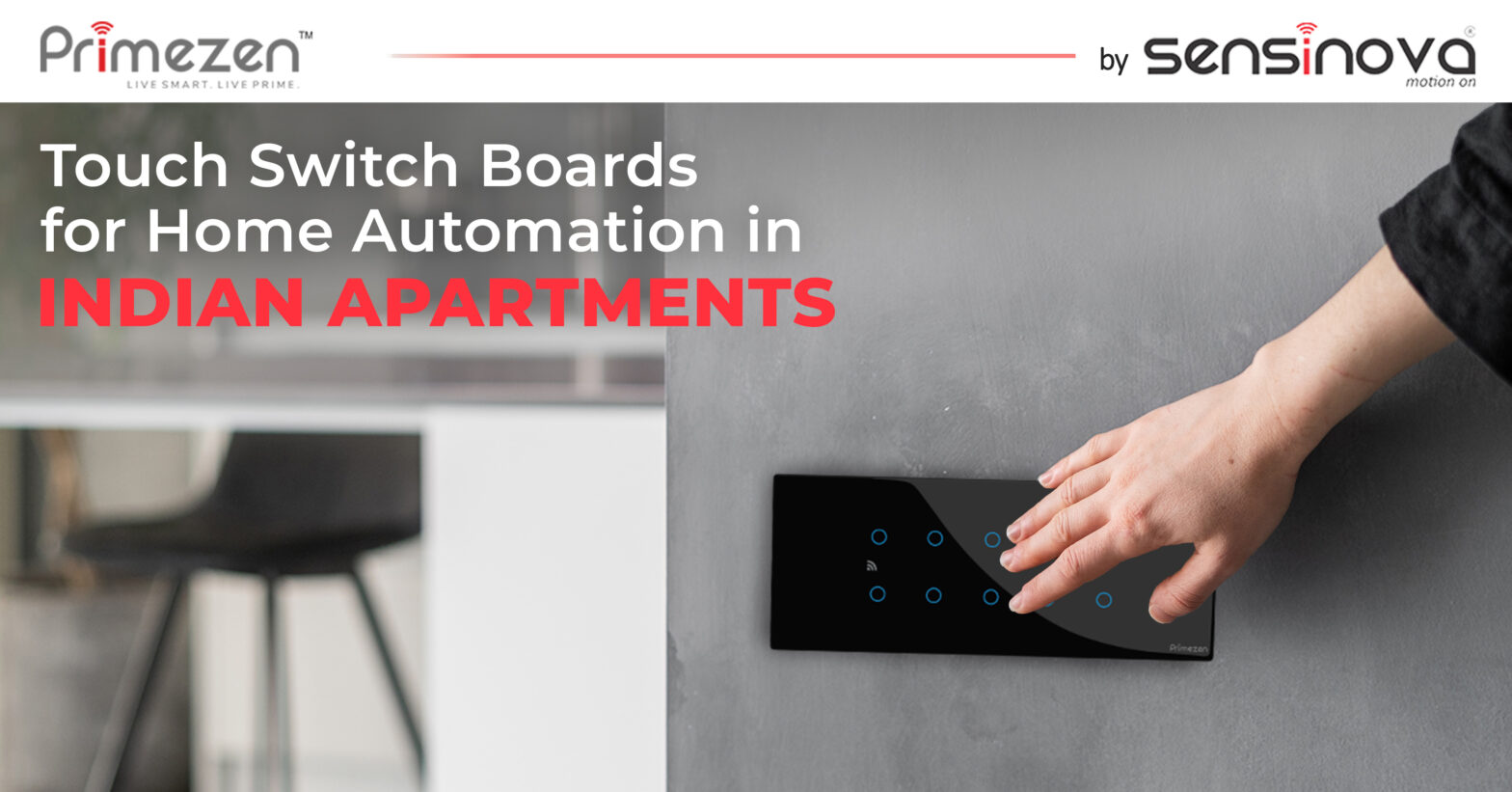
The modern Indian apartment is no longer just a place to live; it is a dynamic space that balances comfort, convenience, and a desire for a lifestyle that keeps pace with a rapidly evolving world. In this context, the desire for a home that is both beautiful and intelligent has become a driving force for many urban families. This shift is where one innovative technology has come to stand out: the touch switch board. It represents a powerful fusion of sleek design and cutting-edge functionality, bringing a new era of convenience and control to every corner of your home. Why Touch Switch Boards Are Revolutionising Apartment Living A touch switch board is a sophisticated, intelligent replacement for traditional mechanical switches. Unlike the conventional switches that rely on physical pressure, these modern panels respond to the lightest touch, creating an intuitive and premium user experience. Their surfaces are typically made of durable, scratch-resistant tempered glass, providing a minimalist and refined aesthetic that complements both contemporary and traditional decor. The functionality extends far beyond a simple touch. These advanced devices can connect to a home’s digital ecosystem through WiFi or Bluetooth, enabling a range of control options. You can use a gentle touch on the panel itself, or take advantage of a mobile app for remote access. For the ultimate in convenience, they also integrate with popular voice assistants like Amazon Alexa and Google Assistant, allowing for hands-free command of your lights and appliances. This multifaceted control system is the foundation of a modern, responsive living space. The Unbeatable Advantages: Why Now is the Time to Upgrade Beyond their practical applications, upgrading to a smart touch switchboard for the home brings a host of compelling advantages that make it a lifestyle and financial investment. Modern Aesthetics and Design: The sleek, glass-based design of a touch switchboard instantly elevates the look of your interiors. It replaces cluttered walls with a streamlined, minimalist interface that enhances the overall decor of your home. Effortless Convenience for All: From children to the elderly, the intuitive touch or voice controls make these switches easy to operate for everyone in the family. This accessibility reduces physical strain and enhances comfort, making daily routines effortless. Enhanced Safety and Durability: The absence of mechanical parts and the use of durable materials like tempered glass mean these switches are built to last. They incorporate multiple safety layers to provide complete protection against electrical accidents and sparks, a significant upgrade over traditional switches. Energy Efficiency and Long-Term Value: The ability to schedule device usage and monitor power consumption patterns from your phone helps you identify energy waste and optimise usage. This leads to noticeable savings on your monthly electricity bills, making your initial investment a cost-effective choice in the long run. Investing in smart home technology also increases your home’s value, making it a sound long-term decision. A Smart Investment for a Smarter Lifestyle The rise of the smart home is not a fleeting trend but a fundamental shift towards a more connected and efficient way of living. A smart switchboard acts as a central hub, bringing together convenience, security, and elegance in a single device. The market in India offers a range of options that are proudly made in India and designed for easy retrofit installation, meaning you can upgrade your existing switchboards without any complicated rewiring. This makes the transition to a smarter home easier than ever before. Modern Indian apartments deserve technology that matches their energy, style, and aspirations. Upgrade your apartment with touch switch boards to enjoy unparalleled comfort, security, and sophistication. A small change in your electrical setup can make a big impact on your daily ease, energy savings, and future home value. Invest in Smart Switchboards Today and Experience the Next Level of Apartment Living. FAQ’s What makes a smart touch switch board ideal for Indian apartments? Touch switch boards designed for Indian homes offer modular installation, water resistance, and custom designs that match diverse interiors while fulfilling practical needs through easy control and maintenance. Do I need to completely rewire my home to install a smart switchboard? No, most smart switches on the market today are designed for easy retrofit installation. They can replace existing switches without major rewiring, making the upgrade process simple and hassle-free for any apartment dweller. Are these switches safe for children and elderly people? Absolutely. Smart switches are designed to be user-friendly and often feature advanced safety features, such as shockproof technology. The single touch or voice control functions reduce physical strain, making them safe and convenient for all family members. Can I automate only certain rooms or devices in my apartment? Yes. These systems are highly scalable, allowing you to start by automating just one or two rooms and expand gradually. You can customize which lights, fans, or appliances you want to control based on your needs.
Benefits of Using Touch Panel Switches for Home Automation
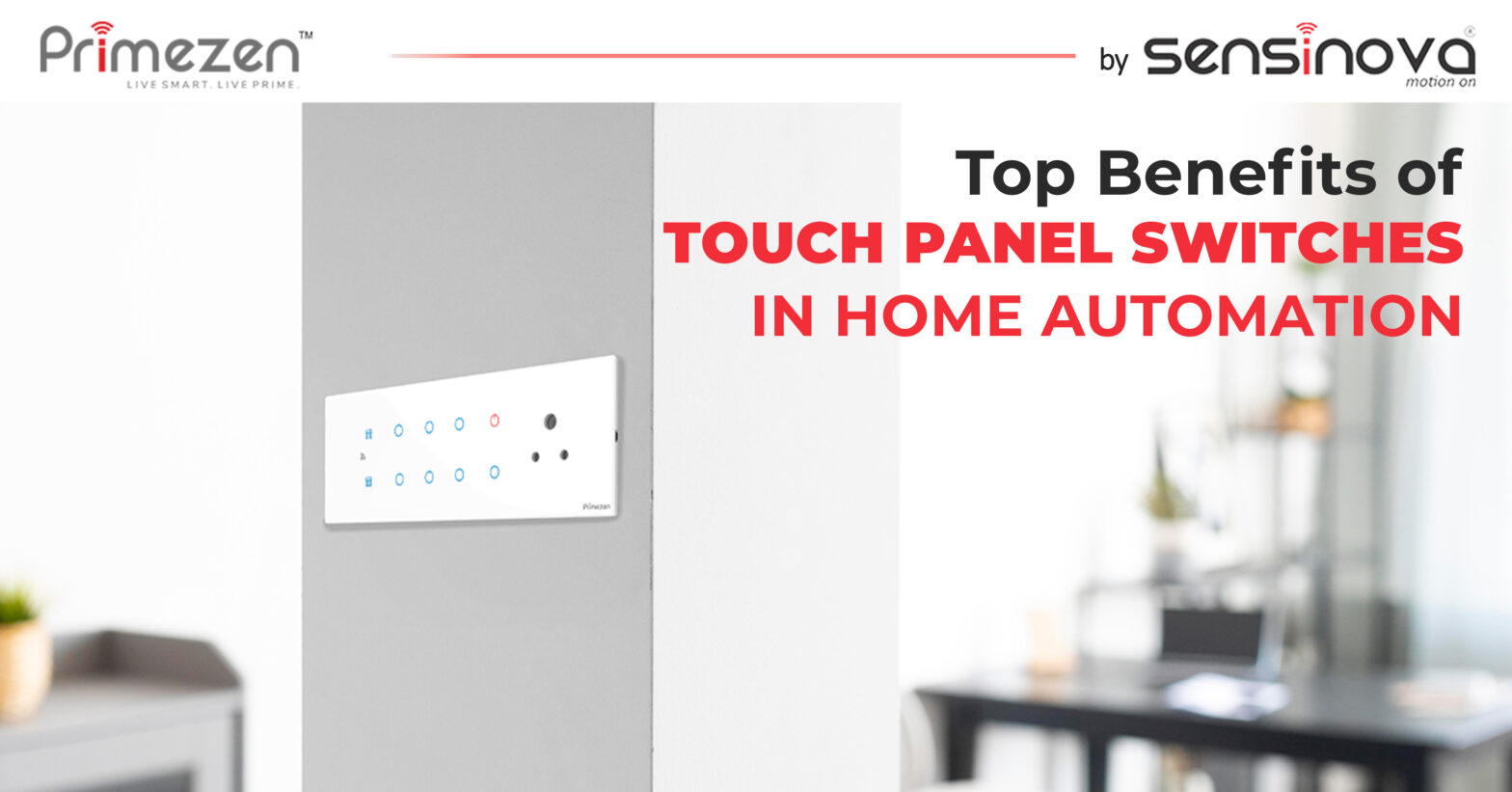
Technology is no longer just about gadgets. It has entered our homes to make everyday life easier, stylish, and more efficient. One innovation that stands out is the touch panel switch. Designed to replace traditional switches, it brings both aesthetics and intelligence to modern living. This blog explores why families in India are turning toward these advanced solutions and how they benefit users of all age groups. Why Choose a Touch Panel Switch for Home Automation A touch panel switch blends design with technology. Unlike mechanical switches, it responds to the lightest touch, creating a premium user experience. It also allows control of multiple functions from one elegant surface. In home automation, these switches act as the foundation. They connect seamlessly with home automation switches, mobile apps, or voice assistants. Whether you are adjusting lights, fans, or appliances, touch control makes it effortless and futuristic. Touch Panel Switch: Benefits That Transform Everyday Living 1. Modern Aesthetics A touch panel switch board enhances the interiors of any home. The sleek glass design complements both contemporary and traditional décor, adding value to your living space. 2. Convenience for All From children to the elderly, everyone can easily operate them. No effort is required, just a simple tap. Integration with automation systems means control is possible from anywhere, even through your smartphone. 3. Safety First Traditional switches can wear out over time, increasing safety risks. Touch switches reduce this issue as they are durable and built with advanced safety standards. Some panels also prevent sparks, ensuring secure usage. 4. Energy Efficiency Pairing these switches with home automation products enables scheduling and remote control. This helps reduce unnecessary energy use, leading to lower electricity bills and a more sustainable lifestyle. 5. Multi-Device Control Touch panels are more than switches. They act as control hubs for lights, fans, air conditioners, and other appliances. Instead of cluttered walls with multiple buttons, you get a streamlined interface. 6. Long-Term Value Investing in touch panel switches increases the value of your home. They are not just products but long-term lifestyle upgrades. With their durability and smart features, they are a cost-effective choice in the bigger picture. Applications in Every Corner of Your Home Living Room: Create mood lighting for movie nights or gatherings. Bedrooms: Control fans and lights from the bedside. Kitchens: Switch appliances on and off without moving around too much. Bathrooms: Automate geysers and ventilation for added comfort. Why Primezen Touch Panel Switches Stand Out Primezen offers touch switches designed especially for Indian homes. They combine sleek aesthetics with intelligent features. Zen Touch Panels are built to last, easy to use, and simple to integrate with other automation systems. Families looking for home automation switches find Primezen an ideal choice because it offers both design and performance. Switching to touch panels is not just about upgrading to modern technology. It is about convenience, safety, style, and long-term savings. A touch panel switch ensures your home is future-ready and aesthetically appealing while delivering comfort for everyone in the family. It also ensures your touch switch modules and other connected devices can communicate securely and respond in real-time. Transform your living today with Primezen Zen Touch Panels. Bring elegance, intelligence, and ease of use into your home. Step into the future of living with one smart touch. FAQ’s What is a touch panel switch, and how does it work? It is a smart switch that responds to touch. It controls lights, fans, and appliances directly or through integration with home automation systems. Are touch panel switches safe for families? Yes, they are built with high safety standards. Many models prevent sparks and are durable, making them safe for children and elderly users. Can I connect touch panel switches with other devices? Yes, they integrate with a wide range of appliances and work well with other home automation products, making them versatile and practical. Are touch panel switches worth the investment? Yes, they add style, increase energy efficiency, provide convenience, and improve long-term home value, making them a smart and cost-effective choice.
Top 5 Home Automation Solutions for Apartments in India
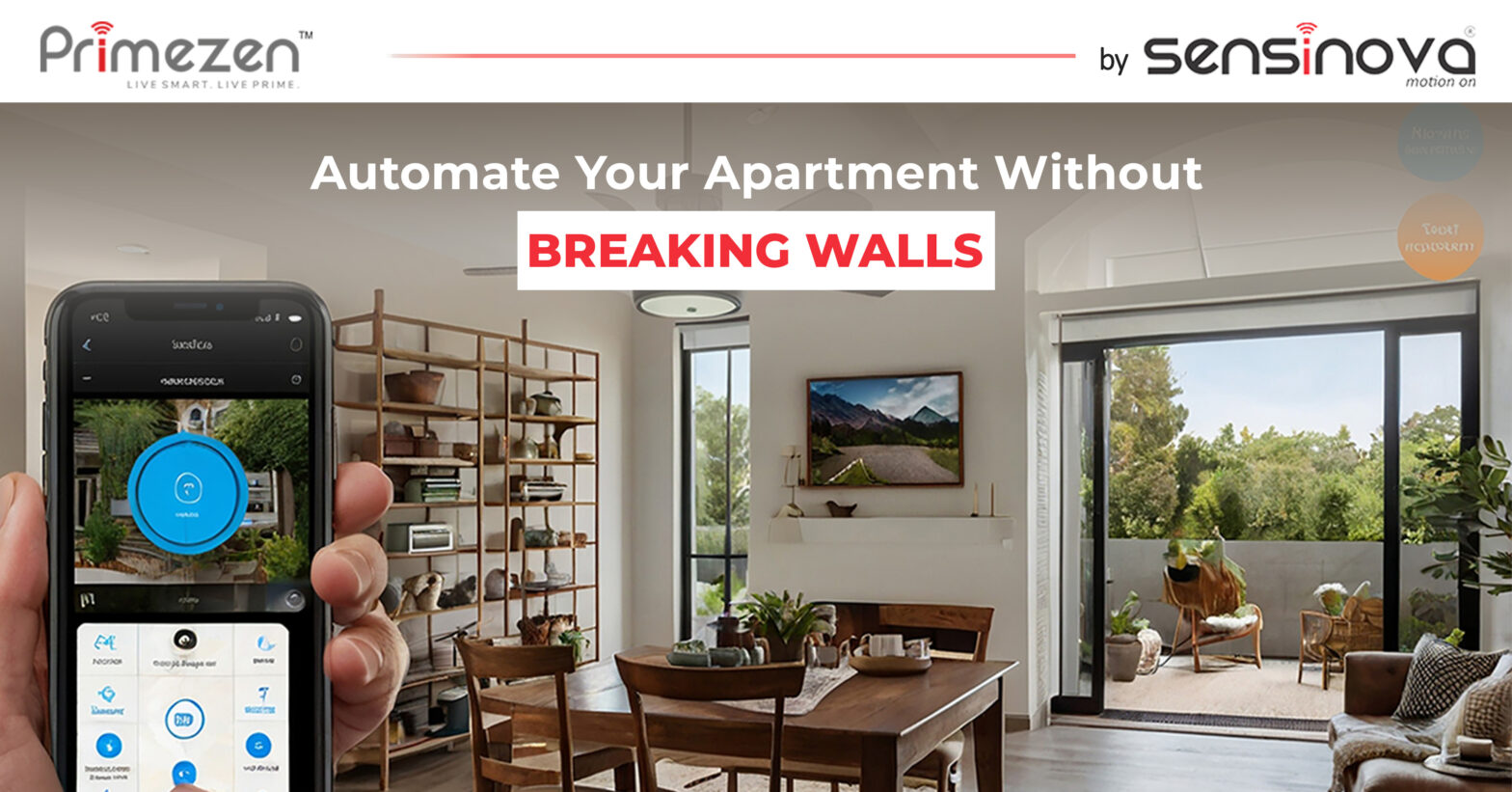
Living in an apartment doesn’t mean you have to miss out on smart home automation. It’s the perfect setup to embrace smarter living without the hassle of major rewiring or renovation. Today, homeowners are upgrading to smart touch switches for home, that save time, reduce energy costs, and offer real peace of mind, all from a mobile screen or voice command. Whether you’re renovating or just beginning your smart home journey, here are the top 5 home automation solutions by Primezen that are ideal for Indian apartments. 1. Touch Switches for Home – The Heart of Smart Control Gone are the days of clunky switches. A touch panel switch from Primezen is the modern answer to wall-mounted control. These sleek, Wi-Fi-enabled panels can be operated manually, via app, or through Alexa/Google voice commands. What makes them ideal for apartments? No rewiring needed Compact design that fits standard switchboards Works seamlessly with lighting and appliances Comes in Glass, matte, acrylic, marble, and wood finishes to match your décor Touch panel switch boards are a real upgrade for daily convenience. You can control all your lights and fans without moving an inch, ideal for cozy urban living. 2. Curtain Controller – Comfort with a Swipe Waking up and struggling to pull open the curtains? Not anymore. Primezen’s curtain controller brings luxury and ease right into your bedroom or living area. With a remote app or voice command, you can open or close your curtains according to your schedule, or even at a specific time of day. For apartments where every inch of space matters, automating curtains helps maintain privacy, regulate sunlight, and save energy, all without manual effort. 3. Universal Remote Control – One Remote for All How many remotes do you have? One for the TV, another for the AC, and maybe one for the fan too? Primezen simplifies this mess with its Universal IR Remote Control (IR Blaster). It allows you to control multiple IR-based appliances through your smartphone. One app to rule them all. 4. Gateway Automation – Your Smart Hub Think of the home automation gateway as the brain behind your bright apartment. It connects and syncs all your devices, touch panel switches, remotes, curtain motors, and more. Primezen’s gateway is compact, efficient, and ideal for apartments where every corner should work smart. It also ensures your touch switch modules and other connected devices can communicate securely and respond in real-time. 5. Centralized Wiring System – Minimal Wiring, Maximum Efficiency Apartments often don’t allow for major civil changes. That’s where centralized wiring solutions from Primezen step in. They simplify wiring by creating a central point of control for all devices. No messy wires. No chaos. And since the touch switches for the home are wireless and battery-less, they can be installed on any surface, with no drilling or damage. Why These Solutions Work for Indian Apartments Space-Efficient: Minimal hardware, sleek design Energy-Saving: Schedule your usage smartly Voice & App Controlled: Control everything hands-free Stylish & Customizable: Choose from multiple finishes to match interiors Scalable: Start small and expand anytime From busy professionals to elderly residents, everyone in your apartment benefits from automation that’s easy, elegant, and reliable. Smart Apartments Start with Smart Choices Smart living isn’t just for big bungalows. With Primezen, every apartment in India can enjoy the ease, elegance, and efficiency of intelligent automation, without the need for rewiring or renovations. Whether you’re upgrading one room or your entire flat, Primezen’s plug-and-play home automation solutions are made for modern apartment living. So why wait? Start with a touch panel switch, add a curtain controller, or go full-home smart—your apartment, your pace. Ready to upgrade your lifestyle? Contact us today for expert guidance and bulk order support! ZEN 203 – 2 Module Zen 403 – 4 Module Zen 603 – 6 Module ZEN-802 – 8 Module
How to Install a Touch Panel Switch Without Rewiring?
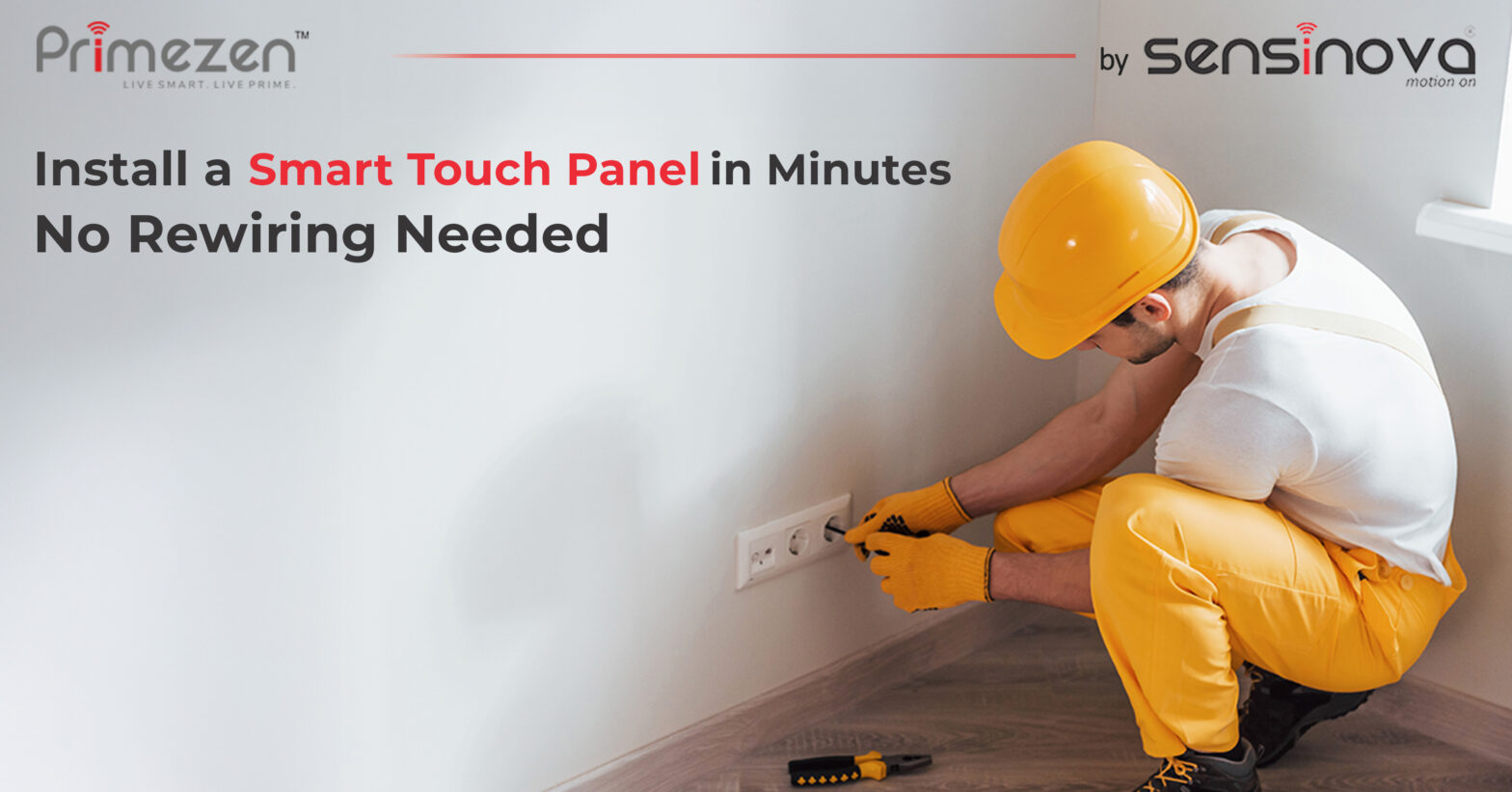
Upgrading to a smart home sounds exciting, until the thought of messy rewiring comes in. But what if we tell you that you could install a touch panel switch without tearing into your walls? Thanks to Primezen’s innovative design, you can enjoy smart living with minimal disruption. Whether you’re building a new home or renovating, these touch panel switch boards are designed to fit seamlessly into your lifestyle and your walls. What Is a Touch Panel Switch? A touch panel switch is a modern smart switch that replaces your traditional switchboard. Unlike conventional switches, these are sleek, Wi-Fi-enabled, and can be controlled in three ways: Touch (manual) Mobile App (remote) Voice Assistants (Alexa/Google) Can I Install a Touch Panel Without Rewiring? Yes, and Here’s How. ✅ 1. Standard Fitting Sizes Primezen’s touch switch modules are made to fit into standard Indian switch boxes. This means your existing electrical boxes don’t need to be replaced or expanded. ✅ 2. Plug-and-Play Wiring The back panel of the touch panel switch is designed to work with the same wiring as your existing mechanical switch. Your electrician simply disconnects the old switch, connects the new panel using the same wires, and mounts it. ✅ 3. No New Civil Work Since the size and placement remain the same, no wall cutting, drilling, or breaking is involved. That saves you time, mess, and money. ✅ 4. Wireless + App Control Once the touch panel is fixed, you pair it with Primezen’s mobile app. Through Wi-Fi (Tuya-based), it connects to your gateway and other devices without the need for additional cabling. What About Power Supply? All touch panel switches from Primezen are powered through the existing electrical line. So there’s no need for batteries or external chargers. Some advanced modules even feature kinetic wireless switches, which generate power through a simple tap. Why Homeowners Love Primezen’s Touch Panel Switches No Extra Wiring: A significant benefit for homeowners renovating or renting. Elegant Design: Compliments all interior types, from modern to traditional. Multiple Control Options: Control lights and appliances with a tap, app, or voice. Custom Finishes: Select from a range of textures to complement your wall or mood. Scalable: Start small and expand room by room—your system grows with you. How to Get Started Choose Your Touch Panel Switch Board: Primezen offers 2, 4, 6, & 8 module touch switches. Consult Your Electrician: No special training is needed. Just basic electrical knowledge. Install & Pair: Mount the switch. Open the app. Add the device. Done! Automate: Schedule routines like “lights on at sunset” or create mood lighting with just one tap. Switch to Smart, the Easy Way with Primezen Upgrading your home doesn’t have to be a hassle. Primezen’s touch panel switches bring the power of smart automation without the pain of rewiring or civil changes. Whether you’re a homeowner planning a simple upgrade or a builder seeking scalable, innovative solutions, Primezen offers the perfect fit. No mess. No delay. Just intelligent living.Take the first step toward smarter control, elegant design, and easy installation. Contact us today for consultations, demos, or bulk orders. ZEN 203 – 2 Module Zen 403 – 4 Module Zen 603 – 6 Module ZEN-802 – 8 Module
Smart Touch Switch for Home Automation: A Buyer’s Guide
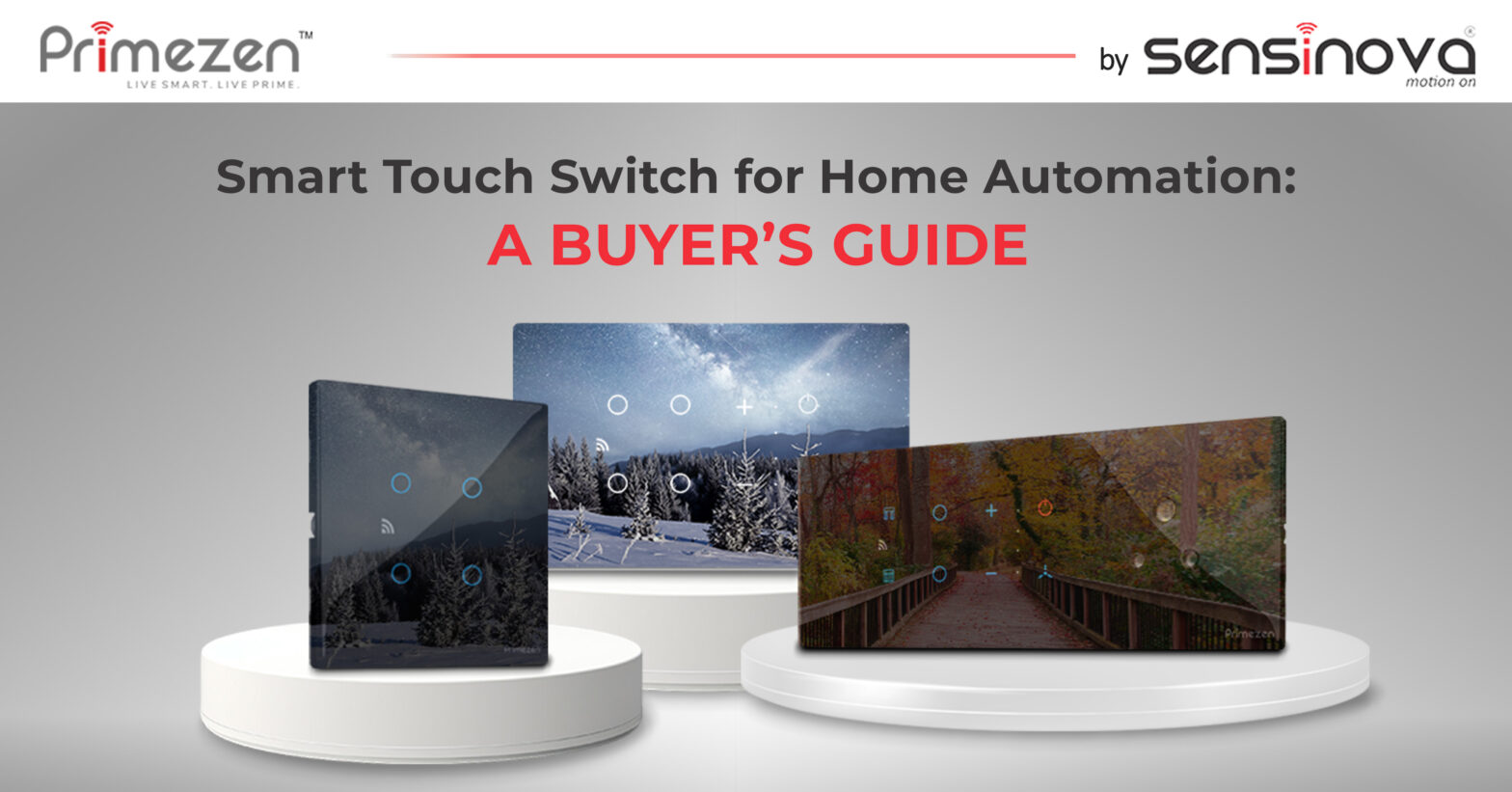
In the age of intelligent living, your home deserves more than outdated switches. If you’re looking to start your home automation journey, upgrading to a touch panel switchboard is a great place to begin. Gone are the days when automation was complex and bulky. Today, it’s about elegant design, ease of use, and smart functionality. This is where Primezen steps in, with touch panel technology that combines aesthetics and smart control into a seamless, all-in-one solution. Why Upgrade to a Smart Touch Panel? A touch panel switch replaces your traditional switch with a sleek, smart alternative. Primezen’s touch switches are Wi-Fi-enabled and powered by Tuya technology, providing seamless integration with users’ phones, Alexa, or Google Assistant. We offer three modes of control: manual touch, mobile app, and voice command, making daily living easier and smarter. Whether you’re planning a new setup or renovating your interiors, these touch switches for the home blend right into your lifestyle. You don’t need to change your wiring or civil setup. Simply install and connect. Features That Set Primezen Apart Custom Finishes for Indian InteriorsAvailable in glossy, matte, acrylic, marble, and wooden textures, these switches add sophistication to every wall. Tuya-Based Smart ControlBacked by the trusted Tuya platform, your switch becomes a smart device with automation, scheduling, and remote access. Mobile IntegrationEasily incorporate the switch into your smart home ecosystem through the SmartLife app. Voice Assistant SupportWorks seamlessly with Alexa and Google, turn on lights, fans, or scenes with a simple voice command. Modular DesignSelect your touch switch module size: 2, 4, 6 & 8 modules, to suit your room requirements and device control. Benefits of Smart Touch Switches for Home Convenience: Control your home remotely, from anywhere. Aesthetic Appeal: Modern, clean look that enhances your space. Energy Efficiency: Automate on/off schedules to save energy. Scalability: Start with one room and scale up as needed. Easy Installation: Retrofit without the need for rewiring or structural changes. Real Feedback, Real Results Users love how our touch panels eliminate the need for multiple remote controls or running between rooms to switch things off. Many homeowners report that replacing traditional switches with touch panel switch boards not only upgrades the look of their space but also makes daily life easier, especially for families with children or elderly members. The customization options, such as marble for luxury homes or matte finishes for minimalist setups, have been particularly praised by interior designers and architects. How to Choose the Right Touch Switch Module When selecting a touch panel, consider: Number of devices you want to control. Type of control needed: basic on/off, Curtain control, or fan speed. Design aesthetics: Match with the wall colour or décor. Integration options: App use, voice assistants, etc. If unsure, our support team or your installer can help recommend the best configuration for your setup. The Future of Smart Living Switching to Primezen’s touch panel switch isn’t just a smart decision. It’s future-ready! The brand continually updates its technology to ensure seamless compatibility, low maintenance, and long-term reliability. With automation becoming the new normal, choosing Primezen means you’re not just upgrading your switchboard; you’re upgrading your lifestyle. Ready to transform your living space with elegance and intelligence? Primezen’s smart touch panel switches offer the perfect blend of design, convenience, and cutting-edge technology. Whether you’re upgrading a single room or automating your entire home, our touch switches are easy to install, customize, and scale as needed. Contact us today to discuss custom configurations or request a product demo. Live Smart. Live Prime ZEN 203 – 2 Module Zen 403 – 4 Module Zen 603 – 6 Module ZEN-802 – 8 Module FAQ’s Can I install a Primezen touch panel switch without changing my existing wiring? Yes, Primezen’s touch panel switches are retrofit-friendly. They can be installed without any major rewiring or civil changes. Will the touch switches work during internet outages? Yes, manual touch functionality remains active even without an internet connection. The app and voice control require Wi-Fi, but the switch still functions by touch. Are Primezen switches compatible with Alexa and Google Assistant? Absolutely! Primezen’s Tuya-powered switches integrate smoothly with both Alexa and Google for hands-free voice control. Can I customize the design of my touch panel switch board? Yes. Primezen offers a variety of finishes, including matte, glossy, acrylic, marble, and wood, to match your interior theme. How many devices can I control with one touch switch module? Depending on the module (2, 4, or 6), you can control multiple lights, fans, or appliances from a single panel.
Touch Panel Switchboard: Ultimate Solution for Modern Home Automation

In today’s fast-paced world, home automation is no longer a luxury; it’s a necessity. Touch panel switchboard is at the forefront of this revolution, offering an intuitive, sleek, and efficient way to control your lighting and appliances. These smart devices replace traditional switches with easy-to-use touch-sensitive panels, giving you more control over your home environment while enhancing its aesthetic appeal. What is a Touch Panel Switchboard? Touch panel switchboard is an advanced alternative to conventional mechanical switches. They are typically equipped with a flat surface that responds to a simple touch, allowing users to control lights, fans, and other electrical devices. These modern switchboards use capacitive touch technology, which detects the touch of your finger, activating the connected system. Unlike traditional switches requiring physical force, touch panel switchboards are more responsive and convenient. The interface is sleek, often integrated into wall panels, and can be customized to match the decor of your home or office. Innovative Features of Touch Panel Switchboard Touch panel switchboard come with several innovative features that make them more efficient and convenient than traditional alternatives: Touch Sensitivity: As the name suggests, these switches work through touch. A light tap is all that is needed to turn devices on or off. This eliminates the need to press down hard on physical buttons, making it more accessible for everyone, including people with disabilities. Sleek and Modern Design: The minimalist design of touch panel switchboards blends seamlessly into any modern home or office. These panels add an element of sophistication to your space, providing a clean and stylish look. Multi-Functionality: Most touch panel switchboards are designed to handle multiple functions. With a single-touch panel, you can control lighting, ceiling fans, and even home automation systems. Some models allow you to adjust the brightness based on your preference. Customization: These switchboards can be customized to fit your needs. Colours Available at Primezen: Black and White At Primezen, Zen Touch Panels come in two sleek colour options: black and white. Whether you prefer the elegant, modern look of black or the clean, timeless appeal of white, these colours will complement any interior design. Black: For a contemporary, high-tech feel, the black touch panel provides a bold and luxurious aesthetic, making it ideal for modern homes or offices with dark tones or minimalistic decor. White: The white touch panel blends effortlessly into any space if you prefer a more neutral, versatile design. It works exceptionally well in lighter, more open interiors, ensuring your switches don’t stand out but blend seamlessly with the overall look. Both colours are designed to be fingerprint-resistant, ensuring that your touch panel switchboards stay clean and sleek with minimal maintenance. How Does a Touch Panel Switchboard Work? Touch panel switchboard work through capacitive touch technology. The panel’s surface is embedded with sensors that detect the electrical capacitance of your body when you touch it. When you tap the surface, the sensors signal to activate or deactivate the connected electrical device. Most modern switchboards are connected to a central home automation system or can be controlled independently. In a home automation setup, the panel allows you to control multiple devices from one place, sometimes from your smartphone via an app. Whether you want to adjust the lighting or control the temperature, everything can be controlled with a simple touch on the panel. The panel’s touch sensitivity is highly responsive, making it easy for users of all ages to interact with. With a simple tap or swipe, you can control the lighting levels fan speeds, or even set pre-programmed scenes for different times of the day or specific activities, like movie nights or dinner parties. Touch panel switchboards are transforming how we control our living spaces. They offer a combination of style, convenience, and energy efficiency that traditional switches cannot match. With their sleek design, easy-to-use touch sensitivity, and integration into home automation systems, they are the ideal choice for anyone looking to modernize their home or office. Primezen’s Zen Touch Panels are a perfect blend of innovation and functionality, available in black and white colours to suit every interior style. By replacing your old switches with touch panel switchboards, you not only make your space look more stylish but also enhance your lifestyle with advanced features like energy-saving, multi-functionality, and ease of use. So why settle for old-fashioned switches when you can upgrade to the future of home automation? What is a touch panel switchboard? A touch panel switchboard is an advanced control system that allows you to operate lighting, fans, and other electrical devices through a touch-sensitive surface. What are the advantages of using a touch panel switchboard? The advantages include convenience, energy efficiency, modern design, customization options, and enhanced control over multiple devices from a single panel. Can a touch panel switchboard be used for home automation? Yes, most touch panel switchboards are compatible with home automation systems, allowing you to control various devices with a simple touch. How does a touch panel switchboard work? Touch panel switchboards use capacitive touch technology, where sensors detect the electrical capacitance of your body to trigger connected devices when touched.