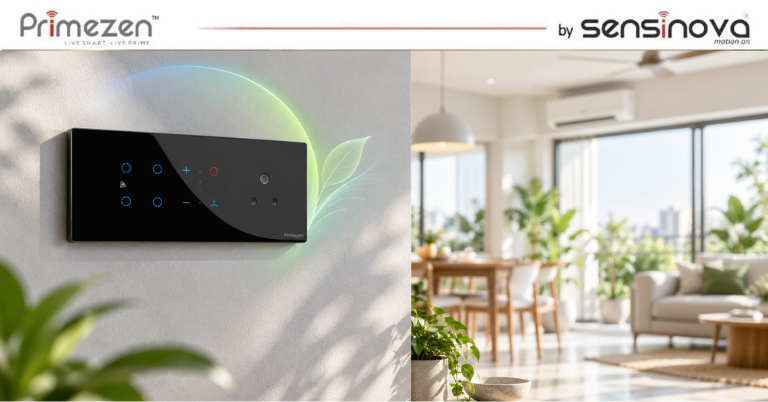
Electricity consumption is becoming an important consideration for homeowners, offices and commercial spaces. While replacing conventional bulbs with energy-efficient lighting can reduce electricity consumption, the way lights are controlled also matters. Lights are often left switched on in empty rooms, corridors, bathrooms, balconies and other areas where they are not required. In many homes, people also forget to turn off lights when leaving for work or going to bed. This is where smart switches for energy saving can make a practical difference. Smart switches allow lighting to be controlled through schedules, automation, remote access, sensors and other intelligent controls. The objective is simple: use lighting when it is needed and avoid unnecessary operation when it isn’t. The Bureau of Energy Efficiency (BEE) has specifically examined home-automation technologies for residential energy efficiency, including smart lighting with scheduling, dimming and remote-operation features. Can Smart Switches Actually Save Electricity? Yes, but there is an important distinction. A smart switch does not automatically make a light fixture energy efficient. Instead, it can help reduce electricity consumption by improving how and when the light is operated. For example: A conventional switch may leave a light running for several hours because someone forgot to turn it off. A smart switching system can potentially: Turn lights off according to a schedule Turn lights off remotely Control lights according to occupancy Reduce brightness through dimming Create automatic lighting scenes Reduce unnecessary operating hours ENERGY STAR also identifies scheduling, remote control and occupancy-based control as ways smart lighting systems can help manage energy use. So the energy-saving benefit comes primarily from better control, rather than the word “smart” itself. How Do Smart Switches Help Reduce Energy Consumption? There are several ways smart switches and intelligent lighting controls can reduce unnecessary lighting usage. 1. Automatic Scheduling One of the simplest ways to reduce wasted electricity is to make sure lights don’t stay ON longer than necessary. With scheduling, lights can be programmed to operate during specific periods. For example: Garden lights: ON → 6:30 PM OFF → 11:00 PM Porch light: ON → Evening OFF → Morning Office lighting: ON → Working hours OFF → After closing This can prevent lights from being accidentally left on overnight or during periods when the space is not being used. 2. Remote Control Have you ever left home and suddenly remembered: “Did I turn off the lights?” With connected smart switches, users can potentially check and control compatible lighting remotely. This is useful for: Homes Offices Shops Holiday homes Rental properties ENERGY STAR highlights remote control as one of the useful functions of connected lighting for avoiding unnecessary operation. Instead of keeping a light ON for hours because nobody is available to switch it off manually, the user can control it remotely. 3. Occupancy-Based Lighting This is one of the more effective applications of intelligent lighting control. An occupancy or motion sensor can detect whether a space is being used. For example: Person enters bathroom → Light ON Person leaves → Light OFF after a set period The same concept can be used for: Passageways Staircases Store rooms Bathrooms Utility areas Parking areas Offices BEE’s national roadmap for residential home automation estimates significant savings potential from occupancy sensors and specifically discusses occupancy-based lighting control. However, sensor placement and settings matter. A poorly positioned sensor can cause lights to switch off when someone is still in the room. So installation quality is just as important as the technology. 4. Dimming Instead of Full Brightness Not every situation requires lighting at 100% brightness. A smart lighting system with dimming capability can reduce the light output when full brightness isn’t required. For example: Evening Relaxation Instead of: 100% brightness the lighting could be: 50–60% brightness This can reduce the energy used by the lighting system while creating a more comfortable environment. BEE’s smart-lighting analysis specifically considers scheduled dimming as one of the mechanisms through which smart lighting can reduce energy consumption. However, dimming capability depends on the light source and compatible hardware. A smart switch alone cannot guarantee that every connected light can be dimmed. 5. Daylight-Based Lighting Control Another useful approach is to avoid using artificial lighting when enough natural light is already available. Consider a room with large windows. During the afternoon, sunlight may provide enough illumination. Instead of keeping artificial lights at full brightness, an intelligent lighting system can use daylight information or suitable sensors to adjust lighting. This approach is often referred to as daylight harvesting. BEE materials on energy-efficient buildings identify daylight sensors and occupancy sensors as lighting-control strategies for reducing energy consumption. 6. Create Energy-Saving Lighting Scenes Smart switches and touch panels can also combine multiple lighting controls into a single scene. For example: Leaving Home One command can: Turn OFF living room lights Turn OFF bedroom lights Turn OFF kitchen lights Turn OFF selected appliances Good Night A night scene could: Turn OFF most lights Keep selected pathway lights ON Reduce bedroom lighting Movie Mode The system could: Dim the main lights Turn off unnecessary lights Keep ambient lighting at a lower level The advantage isn’t simply convenience. By combining multiple controls into predefined scenes, homeowners can make energy-efficient behaviour easier to follow every day. Smart Switches vs Traditional Switches for Energy Saving So, is a smart switch actually better than a traditional switch? It depends on how you use it. Feature Traditional Switch Smart Switch Manual ON/OFF ✓ ✓ Remote control ✗ ✓ Scheduling ✗ ✓ Automation Limited ✓ Occupancy-based control ✗ Possible Dimming Depends on hardware Possible Lighting scenes ✗ ✓ App control ✗ ✓ Energy-management integration Limited Possible A traditional switch can still control a light efficiently if the user consistently turns it off when it isn’t required. The advantage of a smart switch is that it can automate some of this behaviour. How Much Electricity Can Smart Switches Save? This is where you need to be careful. There is no universal percentage of electricity savings for every smart switch installation. The actual savings depend… Continue reading Smart Switches for Energy Saving: Can Intelligent Lighting Controls Reduce Electricity Use?
Author: admin
Matter-Compatible Smart Switches: What Indian Homeowners Need to Know in 2026
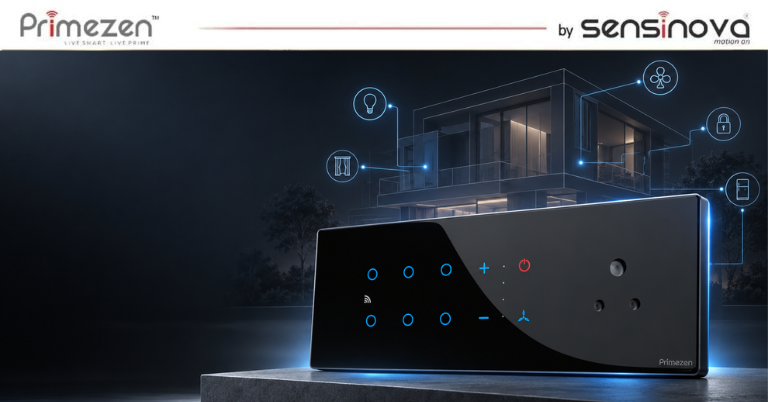
Smart homes are no longer limited to smart bulbs, voice assistants and smartphone apps. Today, homeowners are looking for a more convenient way to control lights, fans and other electrical devices directly from the switchboard. This is where smart switches have become an important part of modern home automation. But there is one problem. Different smart-home brands often use different platforms and technologies. A switch that works with one ecosystem may not offer the same compatibility with another. Matter is designed to make smart-home devices work more easily across different platforms. For Indian homeowners planning a new smart home or upgrading an existing one, understanding Matter-compatible smart switches can help avoid compatibility problems and unnecessary upgrades later. What Is a Matter Smart Switch? A Matter smart switch is a smart electrical switch that supports the Matter smart-home standard. Matter is an industry standard developed to improve interoperability between compatible smart-home devices. It is designed to allow devices from different manufacturers and ecosystems to communicate more easily. The Connectivity Standards Alliance describes Matter as an industry-unifying standard focused on simplicity, interoperability and reliable connectivity. In simple terms: Instead of asking, “Which brand’s ecosystem does this switch work with?” you can also ask, “Is this switch Matter compatible?” That makes Matter an important consideration when choosing smart switches for a modern home. Why Are Matter Smart Switches Becoming Important? The biggest advantage of Matter is interoperability. Imagine a home where you have: Smart lights Smart switches Motion sensors Smart plugs Smart speakers Smart curtains Security devices If every product requires a different app or ecosystem, managing the home can become complicated. Matter is designed to reduce this fragmentation by providing a common standard for compatible devices. Major smart-home platforms already support Matter, and the ecosystem continues to expand. For example, TP-Link’s India product listing includes Matter-certified smart switches and other smart-home devices. This means homeowners can increasingly build smart-home systems without depending entirely on a single manufacturer’s ecosystem. How Do Matter Smart Switches Work? Matter itself is not a replacement for Wi-Fi or other wireless technologies. It is a communication standard that works with technologies such as Wi-Fi, Thread and Ethernet, while Bluetooth Low Energy can be used during device setup. A typical setup can involve: Smart Switch → Wi-Fi / Thread → Matter Controller → Smart Home Platform Depending on the product and ecosystem, the controller may be part of a smart speaker, hub or another compatible device. Once the switch is added to the smart-home ecosystem, users can control compatible devices and create automation routines. For example: One tap → Living room lights ON or Motion detected → Corridor lights ON or Good Night scene → Bedroom lights OFF + selected devices OFF The exact features depend on the switch and the smart-home platform being used. What Are the Benefits of Matter-Compatible Smart Switches? 1. Better Ecosystem Compatibility One of the biggest reasons to consider Matter is compatibility. Matter is designed to allow compatible products from different manufacturers to work together more easily instead of forcing homeowners into completely isolated ecosystems. This is particularly useful if you already use products from different smart-home brands. 2. Easier Smart Home Expansion You don’t necessarily have to automate your entire home at once. You can start with: Living room lights Bedroom switches Smart fans Entrance lighting and gradually expand the system. A compatible smart switch can become part of a larger home automation setup as your requirements grow. 3. More Convenient Lighting Control Smart switches can make everyday lighting control easier. Instead of manually operating multiple switches, homeowners can create scenes or routines based on their requirements. For example: Movie Mode Living room lights → Dimmed Curtain → Closed Entertainment system → ON Good Morning Bedroom lights → ON Curtains → Open Away Mode Selected lights → OFF Security devices → Activated The actual automation possibilities depend on the devices and platform being used. 4. Local Connectivity Can Improve Responsiveness Matter is designed with reliable local connectivity as part of its goals. However, homeowners should not assume that every Matter product automatically works offline or without any hub. The actual experience depends on the product’s connectivity method, controller and ecosystem. That is an important point to check before buying. Matter vs Wi-Fi Smart Switches: What’s the Difference? This is where many buyers get confused. Wi-Fi and Matter are not exactly competing technologies. Wi-Fi is a networking technology. Matter is a smart-home application standard that can operate over technologies including Wi-Fi and Thread. So a product can potentially be: Wi-Fi + Matter compatible rather than simply being “Wi-Fi or Matter.” This distinction is important when comparing smart switches. What Should Indian Homeowners Check Before Buying a Matter Smart Switch? Matter compatibility is useful, but don’t buy a switch simply because you see the Matter logo. Check these factors first. 1. Check the Exact Model Matter support should be verified for the specific model and version you are buying. Don’t assume that every product in a brand’s smart-switch range supports Matter. Matter certification exists specifically for compatible products, so buyers should verify the product details before purchasing. 2. Check Wiring Requirements This is particularly important in Indian homes. Some smart switches require a neutral wire, while others are designed to work without one. Older homes may have different wiring configurations compared with newly constructed homes. Before purchasing a smart switch, check: Neutral wire availability Switchboard depth Modular plate compatibility Load requirements Electrician requirements This can prevent installation problems later. 3. Check Switch Size and Design Smart functionality isn’t the only consideration. The switch should also fit the existing electrical setup and match the interior design. Modern homes increasingly use: Minimal switchboards Glass or premium finishes Touch controls Modular designs Multi-function panels A smart switch should ideally combine technology with good design. 4. Check Supported Smart-Home Platforms Don’t assume that “Matter compatible” means every feature works identically across every platform. Check compatibility with the ecosystem you already use. For example: Apple Home Google… Continue reading Matter-Compatible Smart Switches: What Indian Homeowners Need to Know in 2026
Can Touch Panel Switches Work Without Internet? Wi-Fi, RF, App & Voice Control Explained
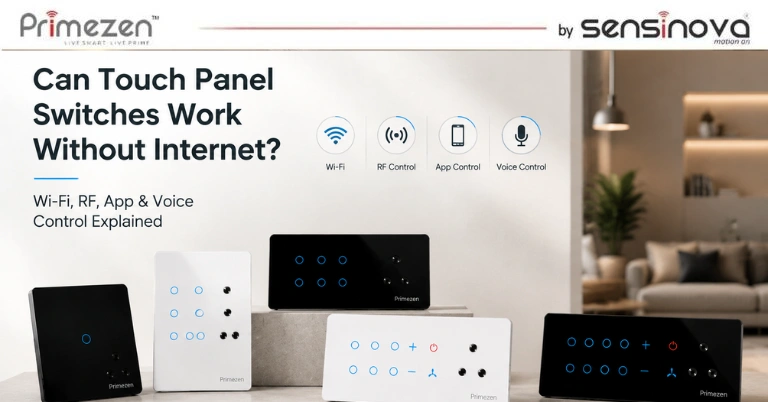
Smart homes are becoming increasingly popular, and touch panel switches are at the center of this transformation. They offer sleek designs, advanced controls, and the convenience of managing lights, fans, and appliances with a simple touch, mobile app, or voice command. However, one question many homeowners ask before installing a smart touch switch is: “Will my touch panel switch still work if the internet goes down?” The answer depends on the type of touch panel switch and the communication technology it uses. In this guide, we’ll explain how Wi-Fi, RF (Radio Frequency), mobile app, and voice control work, when an internet connection is required, and how to choose the right touch panel switch for your home. Do Touch Panel Switches Need Internet? The short answer is No—not all touch panel switches require an internet connection. Even if your home Wi-Fi or internet service is unavailable, most touch panel switches will continue to work as regular wall switches. However, features such as remote access, cloud automation, and voice control may be affected depending on the technology used. Let’s understand the different control methods. Types of Touch Panel Switch Control Modern touch panel switches support one or more of the following technologies: Manual Touch Control Wi-Fi Control RF (Radio Frequency) Control Mobile App Control Voice Assistant Control Smart Home Automation Each technology offers different levels of convenience and internet dependency. 1. Manual Touch Control (Works Without Internet) Every touch panel switch is designed to function as a standard wall switch. Even if: Wi-Fi is disconnected Internet service is unavailable Router is turned off You can still touch the glass panel to control: Lights Ceiling fans Exhaust fans Appliances This makes touch panel switches reliable for everyday use. Best For Daily operation Homes with unstable internet Essential lighting control 2. Wi-Fi Touch Panel Switches Wi-Fi touch switches connect directly to your home’s wireless network. They allow users to: Control switches through a mobile app Schedule appliances Create automation routines Monitor device status Access switches remotely Does Wi-Fi Need Internet? It depends. Local Wi-Fi Control If both your smartphone and touch panel are connected to the same Wi-Fi network, many systems allow local control even if the internet is temporarily unavailable. Remote Control If you’re outside your home and want to control your switches remotely, an active internet connection is required for cloud communication. 3. RF (Radio Frequency) Touch Panel Switches RF touch switches communicate using radio signals instead of Wi-Fi. This means they do not rely on your home’s internet connection. They communicate directly with: Wireless remotes RF gateways RF receivers Compatible smart home hubs Advantages of RF Control No internet required Fast response time Stable communication Long operating range Works even during internet outages RF technology is an excellent option for users seeking reliable local control without depending on internet connectivity. 4. Mobile App Control Most modern smart switches include a dedicated mobile application. The app enables you to: Turn lights ON/OFF Adjust fan speed Control appliances Set timers Create schedules Build automation scenes Does App Control Work Without Internet? It depends on the type of system. Local App Control Some systems allow app control over the local Wi-Fi network without internet access. Cloud-Based App Control Most remote control features require an active internet connection because commands are routed through secure cloud servers. 5. Voice Control Voice assistants have become one of the biggest advantages of smart homes. Common voice platforms include: Amazon Alexa Google Assistant Apple Siri (through compatible integrations) You can simply say: “Turn on the bedroom lights.” “Switch off the living room fan.” “Set fan speed to medium.” “Turn off all lights.” Does Voice Control Work Without Internet? In most cases, No. Voice assistants process commands through cloud-based services, which require an active internet connection. Without internet: Voice commands stop working. Manual touch control continues to work normally. What Happens During an Internet Outage? Here’s what typically happens if your internet connection is unavailable. Feature Works Without Internet? Manual Touch Control ✅ Yes Fan Speed Control ✅ Yes Local RF Remote ✅ Yes Local Wi-Fi Control (Model Dependent) ✅ Sometimes Mobile App (Remote) ❌ No Voice Assistant ❌ No Cloud Automation ❌ No Remote Access Outside Home ❌ No As you can see, your touch panel switch doesn’t stop functioning—it simply loses cloud-based smart features until the internet connection is restored. Wi-Fi vs RF Touch Panel Switches Feature Wi-Fi Switch RF Switch Manual Touch ✅ ✅ Internet Required Only for Remote Features No Mobile App ✅ Depends on Gateway Voice Control ✅ Depends on Gateway Remote Access ✅ Limited Installation Easy Easy Response Speed Excellent Excellent Internet Independence Moderate Excellent Which Option Is Best for Your Home? The ideal solution depends on your requirements. Choose Wi-Fi Touch Panel Switches If You Want: Smartphone control Voice assistants Remote access Smart automation Scheduling Choose RF Touch Panel Switches If You Want: Reliable local control No dependence on internet Fast response Wireless remote operation Stable performance Best Choice Many premium smart homes combine Wi-Fi and RF technology to ensure uninterrupted operation, even if one communication method becomes unavailable. Benefits of Smart Touch Panel Switches Whether connected through Wi-Fi or RF, touch panel switches provide numerous advantages. Elegant Design Premium glass finishes enhance modern interiors. Easy Operation Simple touch controls eliminate mechanical buttons. Flexible Control Operate devices through: Touch Mobile App RF Remote Voice Commands Energy Efficiency Automation schedules help reduce unnecessary electricity usage. Smart Home Integration Compatible models integrate with popular home automation systems. Long Lifespan Capacitive touch technology minimizes wear and tear compared to traditional switches. Tips for Choosing the Right Touch Panel Switch Before purchasing, consider the following: Number of switches required Fan regulator compatibility Wi-Fi or RF support Mobile app availability Voice assistant compatibility Build quality Safety certifications Warranty and after-sales support Selecting the right model ensures reliable performance and future scalability. Why Choose Primezen Touch Panel Switches? Primezen touch panel switches are designed for modern homes that demand both style and functionality. They feature premium tempered glass,… Continue reading Can Touch Panel Switches Work Without Internet? Wi-Fi, RF, App & Voice Control Explained
Touch Panel Switch with Fan Regulator: Control Lights, Fans & Appliances from One Panel
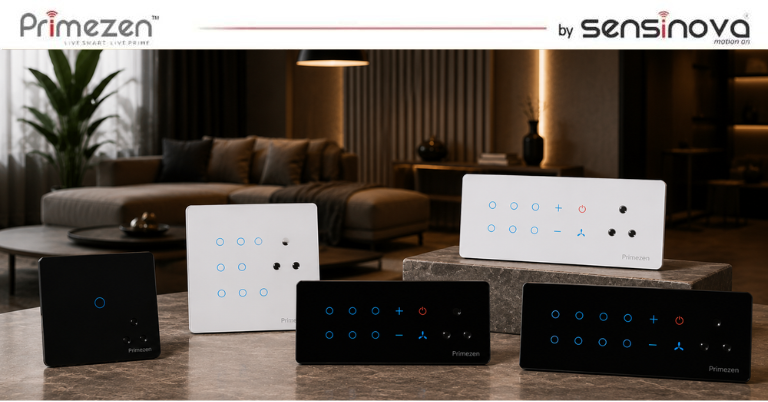
Modern homes are evolving with smart technology that combines convenience, efficiency, and elegant design. One innovation that’s becoming increasingly popular is the touch panel switch with a built-in fan regulator. Instead of using separate switches for lights, fans, and appliances, this advanced solution lets you manage everything from a single sleek panel. Whether you’re upgrading your existing home or designing a new smart home, a touch panel switch with a fan regulator offers seamless control, enhanced aesthetics, and improved functionality. In this guide, we’ll explain how touch panel switches with fan regulators work, their benefits, key features, applications, and why they’re an excellent choice for modern living. What Is a Touch Panel Switch with Fan Regulator? A touch panel switch with a fan regulator is a modern electrical control panel that combines multiple controls into one elegant unit. It allows you to operate: Ceiling lights Decorative lighting Ceiling fans with speed control Exhaust fans Air conditioners (through compatible modules) Smart appliances Power sockets (depending on configuration) Instead of installing multiple conventional switches, one touch panel provides centralized and intuitive control. How Does a Touch Panel Switch Work? Unlike traditional mechanical switches, touch panels use capacitive touch technology. When you gently touch the glass surface, sensors detect your finger and send commands to the connected electrical devices. The fan regulator is integrated into the panel, allowing you to increase or decrease fan speed with dedicated touch buttons or sliders, offering precise and effortless control. Many advanced touch panels also support: Wi-Fi connectivity Bluetooth Zigbee Voice assistants Mobile app control Scene automation Why Choose a Touch Panel Switch with Fan Regulator? A combined touch panel simplifies daily living by bringing all essential controls into one stylish interface. Centralized Control Instead of multiple switches scattered across the wall, you control: Lights Fans Appliances from one organized panel. Elegant Modern Design Touch panels feature premium glass finishes that complement contemporary interiors. Available finishes include: Black Glass White Glass Grey Glass Champagne Gold Metallic Finish They instantly enhance the appearance of your walls. Smooth Fan Speed Control Unlike traditional rotary regulators, touch panel fan regulators provide: Silent operation Precise speed adjustment Multiple speed levels Smooth touch response Many models include memory functions that restore the last selected speed after a power outage. Smart Home Ready Modern touch panels integrate easily with smart home ecosystems. Depending on the model, users can control devices using: Smartphone apps Alexa Google Assistant Siri Shortcuts Home automation systems This enables convenient hands-free control and automation. Enhanced Safety Touch panel switches are designed with safety in mind. Many models offer: Fire-resistant materials Overload protection Durable tempered glass Child-safe touch operation Long operating life Features of a Touch Panel Switch with Fan Regulator High-quality touch panel switches typically include: Capacitive touch controls Built-in fan speed regulator LED backlit indicators Premium tempered glass panel Scratch-resistant surface Waterproof touch surface (varies by model) Wi-Fi or Bluetooth connectivity Timer functions Scene control Energy-efficient operation Benefits of Installing One Combined Panel 1. Cleaner Wall Appearance Replacing multiple switches with one panel creates a cleaner and more sophisticated look. 2. Convenient Daily Operation Everything is available within easy reach. No more searching for separate switches for lights and fans. 3. Space Saving A single panel reduces wall clutter while maximizing functionality. 4. Better Interior Design Luxury homes, apartments, villas, and offices increasingly use touch panels to complement modern décor. 5. Improved Energy Management Many smart touch panels allow users to: Schedule appliances Create automation routines Monitor usage Turn off unused devices remotely These features help reduce unnecessary electricity consumption. Applications Touch panel switches are suitable for various environments. Residential Homes Ideal for: Living rooms Bedrooms Kitchens Dining rooms Home offices Luxury Villas Premium interiors benefit from elegant switch panels that match modern architecture. Hotels Hotels use touch panels for: Guest room lighting Fan speed control Scene settings Energy-saving automation Offices Touch panels simplify control of: Cabin lighting Conference rooms Reception areas Workspaces Commercial Spaces Suitable for: Showrooms Clinics Retail stores Salons Restaurants Touch Panel Switch vs Traditional Switch Feature Touch Panel Switch Traditional Switch Appearance Premium Glass Finish Plastic Switches Fan Control Integrated Digital Regulator Rotary Regulator Smart Home Support Yes (Model Dependent) No Mobile App Control Yes No Voice Assistant Support Yes No Automation Yes No Energy Monitoring Available in Some Models No Durability High Moderate Can You Control Appliances Too? Yes. Many touch panels support control of: Lights Ceiling fans Exhaust fans Water heaters Decorative lighting Curtains (with compatible modules) Smart plugs Air conditioners Garden lights The exact compatibility depends on the panel model and connected automation system. Installation Tips For the best performance: Choose the correct panel configuration based on the number of devices you need to control. Ensure the panel is compatible with your home’s electrical wiring. Use certified electrical components. Have the installation completed by a qualified electrician. Connect the panel to your home Wi-Fi if smart features are required. Maintenance Touch panel switches require very little maintenance. To keep them looking and working like new: Wipe the glass surface with a soft microfiber cloth. Avoid abrasive cleaning products. Keep the panel dry during cleaning. Update firmware if your smart panel supports software updates. Why Choose Primezen Touch Panel Switches? Primezen offers advanced touch panel switches that combine elegant design with smart functionality. Designed for modern homes and commercial spaces, Primezen panels feature premium tempered glass, responsive touch controls, integrated fan regulation, and compatibility with leading smart home platforms. Whether you’re building a new smart home or upgrading an existing one, Primezen provides reliable, stylish, and future-ready automation solutions. Frequently Asked Questions Can one touch panel control both lights and fans? Yes. A touch panel with an integrated fan regulator allows you to control lighting and adjust fan speed from the same panel. Does a touch panel save electricity? The panel itself uses minimal power. Smart scheduling and remote control features can help reduce unnecessary electricity usage by ensuring lights and appliances are turned off when not needed. Is a touch… Continue reading Touch Panel Switch with Fan Regulator: Control Lights, Fans & Appliances from One Panel
Wireless Switch Without Battery or Wiring: How Kinetic Switches Work
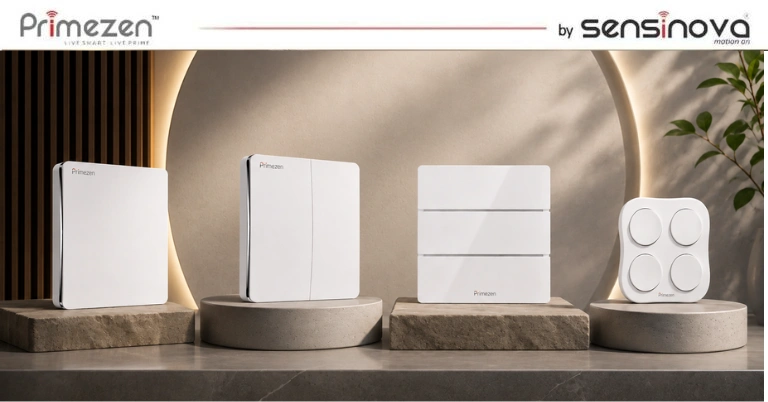
Imagine controlling your lights without replacing batteries or running electrical wiring. It may sound futuristic, but kinetic wireless switches make it possible today. These innovative switches generate their own energy every time you press them, offering a reliable, eco-friendly, and maintenance-free lighting solution. Whether you’re building a new smart home or upgrading an existing one, battery-free wireless switches provide a convenient way to control lighting without the hassle of traditional installations. In this guide, we’ll explain how kinetic switches work, their benefits, applications, and why they’re becoming the preferred choice for modern homes and commercial spaces. What Is a Wireless Switch Without Battery or Wiring? A wireless kinetic switch is a self-powered switch that doesn’t require batteries or electrical wiring to operate. Instead of relying on an external power source, it generates a small amount of electricity through kinetic energy when the switch is pressed. This energy is sufficient to transmit a wireless signal to a receiver connected to your lighting fixture or electrical appliance. The result is a completely maintenance-free switch that works without battery replacement or complex wiring. How Do Kinetic Switches Work? The technology behind kinetic switches is surprisingly simple yet highly effective. Step 1: Pressing the Switch When you press the switch, a tiny mechanical generator inside converts the physical movement into electrical energy. Step 2: Energy Generation This generated energy powers a built-in wireless transmitter for a fraction of a second. Step 3: Wireless Signal Transmission The transmitter sends a secure wireless signal to the receiver installed near the light, fan, or connected appliance. Step 4: Receiver Controls the Device The receiver receives the signal and instantly switches the connected electrical load ON or OFF. Because the switch creates its own energy, no battery is required. Components of a Kinetic Wireless Switch System A typical battery-free wireless switching system includes: Kinetic wireless switch Wireless receiver module Lighting fixture or electrical appliance Power supply for the receiver Only the receiver needs electrical power, while the wall switch remains completely battery-free. Advantages of Battery-Free Wireless Switches 1. No Batteries to Replace Traditional wireless switches depend on batteries that eventually drain. Kinetic switches eliminate this problem completely, reducing maintenance costs and inconvenience. 2. No Electrical Wiring Required Installing new wiring often means: Breaking walls Additional labor Higher installation costs Longer project timelines Wireless kinetic switches can be mounted almost anywhere without rewiring. 3. Easy Installation Installation usually takes only a few minutes. You can mount the switch using: Adhesive tape Screws Surface mounting No electrical modifications are required. 4. Environmentally Friendly Since there are no disposable batteries, kinetic switches reduce electronic waste and contribute to sustainable living. 5. Flexible Placement Because no wiring is needed, switches can be placed: Near beds Beside sofas At entrances Staircases Hallways Conference rooms You can relocate them anytime without damaging walls. 6. Reliable Performance Modern kinetic switches offer: Long wireless range Stable signal transmission Fast response time High durability Millions of press cycles Where Can You Use Wireless Kinetic Switches? Battery-free wireless switches are suitable for numerous applications. Residential Homes Living rooms Bedrooms Kitchens Bathrooms Balconies Garages Offices Perfect for: Meeting rooms Workstations Reception areas Cabins Hotels Hotels use wireless switches because they simplify renovations while reducing maintenance. Hospitals Healthcare facilities benefit from flexible switch placement without disturbing existing wiring. Warehouses Large industrial facilities use wireless switches where installing electrical wiring is expensive or impractical. Kinetic Switch vs Traditional Wireless Switch Feature Kinetic Wireless Switch Traditional Wireless Switch Battery Required ❌ No ✅ Yes Wiring Required ❌ No Sometimes Maintenance Very Low Battery Replacement Installation Quick Moderate Eco-Friendly Excellent Moderate Battery Cost None Ongoing Lifespan Long Depends on Battery Why Homeowners Prefer Kinetic Switches Modern homeowners appreciate solutions that combine convenience with energy efficiency. Battery-free switches offer: Cleaner installations Flexible placement Lower maintenance No battery disposal Smart home compatibility Easy upgrades during renovations These advantages make them an excellent choice for both new homes and retrofit projects. Are Kinetic Wireless Switches Safe? Yes. High-quality kinetic switches use encrypted wireless communication to prevent interference and unauthorized operation. They also comply with industry safety standards, ensuring reliable performance in homes and commercial environments. Always choose products from trusted manufacturers to ensure durability and compatibility. Can Kinetic Switches Be Integrated with Smart Homes? Many modern kinetic switch systems support integration with smart home platforms through compatible gateways or receivers. This allows users to control lights and appliances using mobile apps, voice assistants, or automation routines. Depending on the system, they may work with technologies such as Wi-Fi, Zigbee, Bluetooth Mesh, or Matter, making them suitable for expanding smart home ecosystems. Maintenance Tips One of the biggest advantages is minimal maintenance. Simply: Keep the switch clean. Avoid excessive impact. Ensure the receiver remains connected to power. Follow the manufacturer’s installation guidelines. Since there are no batteries, there’s nothing to replace over the years. Frequently Asked Questions Can a wireless switch really work without batteries? Yes. Kinetic switches generate electricity from the physical movement of pressing the switch, eliminating the need for batteries. Does the receiver require power? Yes. The receiver is connected to the electrical supply and controls the connected light or appliance. Only the wall switch operates without batteries or wiring. What is the range of a kinetic switch? The wireless range varies by manufacturer but typically ranges from 30–80 meters indoors and up to 150–300 meters in open spaces. Can I install it myself? Many battery-free wireless switches are designed for easy installation. However, the receiver should be installed by a qualified electrician if it requires connection to mains power. Are kinetic switches suitable for renovation projects? Absolutely. They are ideal for renovations because they eliminate the need to cut walls or install new wiring. Yes. Kinetic switches generate electricity from the physical movement of pressing the switch, eliminating the need for batteries. Yes. The receiver is connected to the electrical supply and controls the connected light or appliance. Only the wall switch operates without batteries or wiring. The wireless range varies by… Continue reading Wireless Switch Without Battery or Wiring: How Kinetic Switches Work
How to Add a Two-Way Light Switch Without Rewiring or Breaking Walls
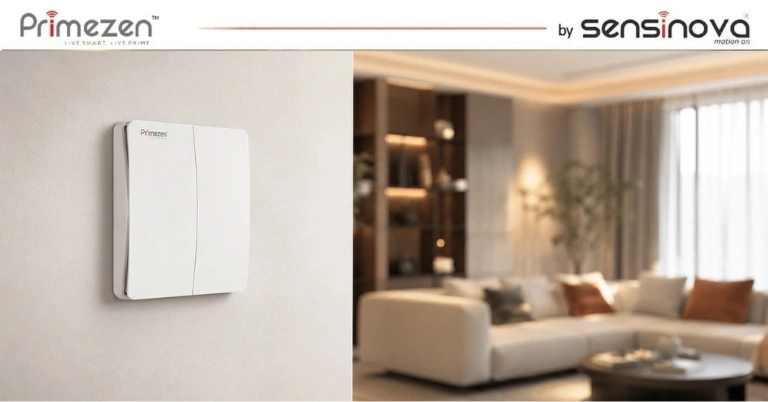
Introduction Have you ever switched off the bedroom light, walked to bed and wished there was another switch next to you? Or perhaps you have a staircase where the light can only be controlled from one floor. Adding another switch sounds simple until an electrician tells you that new wiring has to be run through the wall. Traditionally, creating a two-way switching setup requires electrical wiring between multiple switch points. In an already finished home, that can mean cutting walls, pulling cables, repairing plaster and repainting the area. A wireless two-way switch offers a much cleaner solution. With modern wireless switching technology, homeowners can add an additional control point without running new wires to that switch location. Primezen takes this concept further with battery-free kinetic switches that generate the small amount of energy required to send a wireless command every time the switch is pressed. So how does it work, and where does it make sense to use one? Let’s understand. What Is a Two-Way Light Switch? A two-way switch allows the same light or electrical circuit to be controlled from two different locations. One of the most common examples is a staircase. You switch the light ON from the ground floor. After reaching the first floor, you switch the same light OFF from another switch. Another common example is a bedroom where one switch is installed near the entrance and another is placed beside the bed. The same principle is useful in: Staircases Bedrooms Long corridors Living rooms Large halls Kitchens Home entrances Duplex homes In conventional electrical systems, creating these additional switching points requires physical wiring between the switches. That is easy to plan during construction. It becomes much more difficult after the home is finished. Why Adding a Traditional Two-Way Switch Can Be Difficult Suppose your bedroom already has a switch near the door. Now you want another switch beside the bed. With conventional wiring, an electrician may need to create a wiring route between the existing switchboard and the new switch point. Depending on the house, this could involve: Wall cutting A channel may need to be created inside the wall. Additional electrical wiring New wires have to connect the two control points. Civil work The wall needs to be repaired after installation. Painting or finishing The repaired area may need repainting. Fixed switch position Once the switch is wired into the wall, moving it later becomes difficult. This may be reasonable during new construction. For a finished apartment, renovated bungalow or premium interior, however, breaking a wall just to add another switch is rarely attractive. That is where wireless switching becomes useful. What Is a Wireless Two-Way Switch? A wireless two-way switch creates an additional control point without requiring conventional wiring between the two switch locations. Instead of sending the switching command through a physical wire, the wireless switch communicates with a compatible controller using radio-frequency communication. Primezen’s wireless automation system uses RF-based communication alongside Wi-Fi connectivity. Its kinetic switches are self-powered, meaning the press itself generates the energy required to transmit the command. This changes the way additional switches can be installed. Instead of asking: “How do we take wiring to this location?” you can start asking: “Where would the switch actually be most convenient?” That is the real advantage of wireless switching. How Does Primezen’s Battery-Free Wireless Switch Work? A normal wireless device usually needs one of two things: A wired power supply A battery Primezen’s kinetic switch uses a different approach. When you press the switch, the mechanical movement generates a small amount of electrical energy. That energy is used to transmit an RF signal to the connected controller. The controller then performs the configured action, such as switching a light ON or OFF. Because the switch generates its own operating energy, it does not require a battery at the switch point. Primezen states that its kinetic switches require no wiring or battery and can communicate through RF with compatible controllers. This makes the switch particularly useful for retrofitting finished homes. How Can a Wireless Switch Create Two-Way Control? Consider a bedroom. You already have your main lighting control near the entrance. You now want another switch beside your bed. With a Primezen-compatible setup, an additional kinetic wireless switch can be paired with the relevant smart controller. The wireless switch can then be installed in the convenient second location. The result is simple: At the entrance: Control the bedroom light. Beside the bed: Control the same light. No new wiring needs to run between those two switch locations. Primezen’s system also supports pairing multiple switches with compatible controller equipment, allowing flexible control-point configurations depending on the selected product and setup. Any mains-side controller installation or electrical modification should still be carried out by a qualified electrician. Best Places to Use a Wireless Two-Way Switch 1. Beside the Bed This is probably the most practical application. Instead of getting out of bed to switch off lights, add a wireless switch near: The bedside table Headboard Side wall You get another control point without disturbing the bedroom interiors. 2. Staircases Staircases naturally need convenient lighting control from both ends. A switch can be available downstairs and another upstairs without creating an additional wiring route between the control points. This is especially useful when upgrading an existing home. 3. Long Corridors Long hallways often have a switch only at one end. A wireless switch can provide another convenient control point at the opposite end. You no longer need to walk back across the corridor simply to turn off the light. 4. Large Living Rooms Large living spaces frequently have multiple entrances. A single conventional switchboard might not be convenient from every side of the room. Wireless switching makes it possible to position additional controls where they actually make sense for daily use. 5. Renovated Homes Finished interiors create one major challenge for electrical upgrades: You do not want to damage them. If expensive paint, wallpaper, wall panels, tiles or furniture are already installed, running… Continue reading How to Add a Two-Way Light Switch Without Rewiring or Breaking Walls
Smart Home Controller Explained: The Brain Behind Home Automation Systems
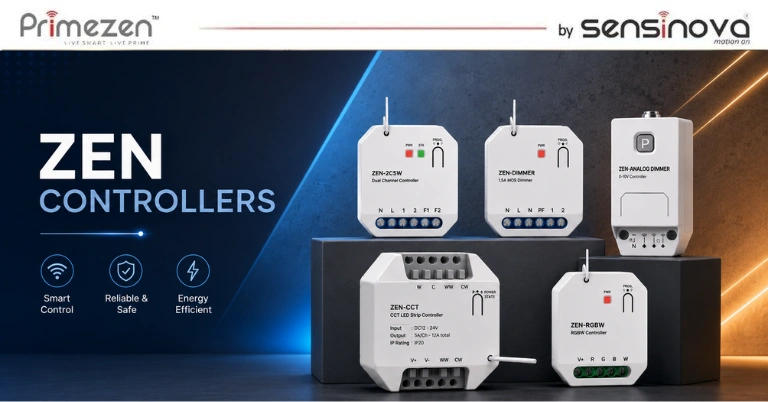
Introduction A modern smart home is not just about controlling lights or appliances through a mobile application. A truly intelligent home requires different devices to communicate, understand commands, and work together automatically. This is where a smart home controller plays an important role. A smart home controller acts as the central brain of a home automation system. It connects different smart devices, processes commands, and allows homeowners to manage lighting, security, appliances, sensors, and other connected systems from one place. Without a controller, individual smart devices may work independently, but they cannot create a complete automated experience. The demand for smart home automation in India is growing rapidly as homeowners look for better comfort, security, and energy efficiency. Modern properties now include multiple connected devices such as: Smart touch panels Wireless smart switches Sensors Security systems Smart lighting Automated curtains Smart appliances A smart home controller brings all these technologies together and creates a seamless connected environment. It allows users to move from simple device control to complete automation. For example: Instead of manually switching lights ON and OFF, a controller can automatically: Turn lights ON when someone enters a room Adjust lighting according to time Activate security when leaving home Control multiple devices through one command What is a Smart Home Controller? A smart home controller is a hardware device that manages communication between different smart home products. It acts as the central processing unit of a home automation system. The controller receives commands from: Smart touch panels Mobile applications Voice assistants Sensors Automation schedules Then it communicates with connected devices and performs the required action. Simple Example Imagine you enter your home. Without automation: You manually: Switch ON lights Adjust curtains Turn ON AC Change settings With a smart home controller: One command: “Welcome Home” The system automatically: ✓ Turns ON entrance lights ✓ Opens curtains ✓ Adjusts temperature ✓ Activates preferred settings The controller makes this possible. Why is a Smart Home Controller Important? Many homeowners think smart devices alone create a smart home. However, a collection of smart devices does not automatically create an intelligent ecosystem. The controller provides: 1. Centralized Device Management A smart home controller connects multiple devices and allows them to communicate. For example: A smart touch panel can send a command to the controller. The controller then communicates with: Lights Fans Curtains Security devices and completes the action. 2. Device Compatibility Different smart devices may use different communication technologies. A controller helps connect these devices together. Common technologies include: Zigbee Wi-Fi RF Bluetooth Wired protocols 3. Automation Rules The biggest advantage of a controller is automation. Users can create rules such as: “If motion is detected after sunset, turn ON corridor lights.” or: “When I leave home, activate security mode.” These intelligent actions make homes more comfortable and efficient. 4. Better Security Management A smart home controller can integrate multiple security devices: Door sensors Motion sensors Cameras Smart locks Alarm systems Example: When a door opens unexpectedly: → Sensor detects activity → Controller receives information → Alert is generated How Does a Smart Home Controller Work? A smart home controller works by receiving information, processing commands, and communicating with connected devices. The basic process: User Command ↓ Smart Touch Panel / App / Voice Assistant ↓ Smart Home Controller ↓ Connected Smart Devices ↓ Action Completed Example: Lighting Automation User creates: “Movie Mode” Command reaches controller. Controller communicates with lighting system. Result: Main lights dim Decorative lights activate Curtains close Technologies Used in Smart Home Controllers Smart home controllers use different communication protocols depending on system requirements. 1. Zigbee Controllers Zigbee controllers are widely used in professional smart home automation systems. Advantages: Low power consumption Stable communication Supports multiple devices Reliable mesh network Zigbee controllers are suitable for: Villas Large apartments Professional automation projects 2. Wi-Fi Smart Controllers Wi-Fi controllers connect through home networks. Benefits: Easy setup Smartphone connectivity Remote access Suitable for: Small automation projects Basic smart homes 3. Wired Automation Controllers Wired controllers are commonly used in large projects where maximum reliability is required. Applications: Luxury villas Hotels Commercial buildings Components Connected With a Smart Home Controller A controller works together with multiple smart devices. Smart Touch Panels Touch panels provide an elegant interface for controlling automation functions. They allow users to: Manage rooms Create scenes Control devices Wireless Smart Switches Wireless switches provide flexible control options without complex wiring. They connect with controllers to operate: Lights Fans Appliances Sensors Sensors make homes intelligent. Examples: Motion sensors Door sensors Temperature sensors Light sensors Smart Security Devices Controllers integrate with: Smart locks Cameras Alarm systems Security sensors Smart Appliances Modern appliances can also become part of automation systems. Examples: Smart AC Smart TV Smart curtains Smart speakers Types of Smart Home Controllers Smart home controllers are available in different types depending on the size, requirements, and complexity of the automation system. Choosing the right controller is important because it determines how smoothly your smart home devices communicate with each other. 1. Smart Home Hub Controller A smart home hub acts as a central connection point between different smart devices. It allows devices using different communication technologies to work together. A smart home hub can connect: Smart switches Sensors Lighting systems Security devices Smart appliances It is commonly used in residential smart home projects. 2. Zigbee Smart Home Controller A Zigbee controller is one of the most popular choices for professional smart home automation systems. Zigbee creates a mesh network where connected devices communicate with each other. Advantages of Zigbee Controllers: Reliable communication Low power consumption Supports many devices Better scalability Stable performance Zigbee controllers are ideal for: Luxury homes Villas Multi-room automation Large smart home projects 3. Wi-Fi Smart Home Controller Wi-Fi controllers connect smart devices through an existing internet network. They are commonly used for basic smart home applications. Benefits include: Simple installation Smartphone control Remote access Easy setup Suitable for: Apartments Small homes Basic automation requirements 4. Wired Smart Home Controllers Wired controllers are commonly used in advanced… Continue reading Smart Home Controller Explained: The Brain Behind Home Automation Systems
Wireless Smart Switches in India: The Future of Modern Home Automation
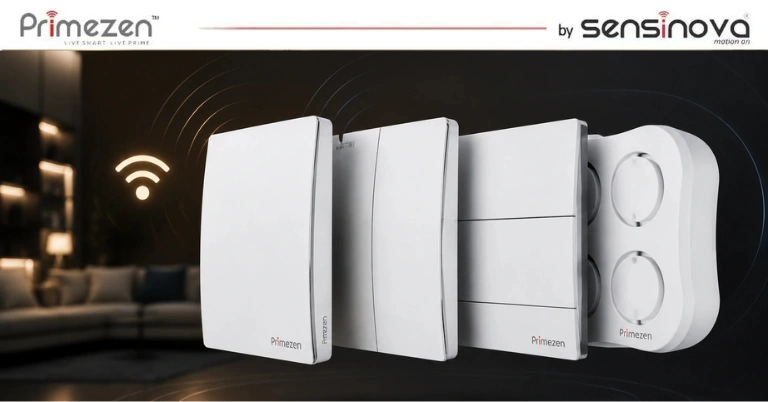
Introduction The way people interact with their homes is changing rapidly. Modern homeowners are moving beyond traditional electrical switches and adopting intelligent solutions that provide better comfort, convenience, and control. Wireless smart switches in India are becoming increasingly popular because they offer an easy way to automate homes without complicated wiring changes. These advanced switches allow users to control lights, appliances, and smart devices through mobile applications, voice commands, and automation systems. Unlike traditional switches that only provide manual ON/OFF control, wireless smart switches connect with smart home ecosystems to create a more convenient and connected living experience. The growth of smart home technology in India has increased demand for flexible automation solutions. Earlier, home automation was mainly considered suitable for luxury villas and premium properties. Today, wireless automation technology has made smart homes accessible for apartments, renovated homes, offices, and commercial spaces. With technologies such as Zigbee, Wi-Fi, and RF communication, homeowners can easily upgrade their existing spaces without major structural modifications. Wireless smart switches are becoming an important part of modern home automation because they combine: Easy installation Smart control Better flexibility Energy management Future expansion What Are Wireless Smart Switches? A wireless smart switch is an intelligent switching device that allows users to control electrical appliances and lighting without relying only on traditional wired connections. These switches communicate wirelessly with a smart controller, gateway, mobile application, or automation system. Users can control connected devices through: Smartphone applications Smart touch panels Voice assistants Automation schedules Smart scenes Traditional Switch vs Wireless Smart Switch Traditional switches require physical operation. For example: You walk to the switchboard → press the button → light turns ON. A wireless smart switch allows: Open mobile app → select device → light turns ON. Or: “Alexa, turn on bedroom lights.” The system performs the action automatically. How Do Wireless Smart Switches Work? Wireless smart switches work by communicating with other smart devices through wireless protocols. The basic process: User Command ↓ Mobile App / Touch Panel / Voice Assistant ↓ Smart Controller or Gateway ↓ Wireless Smart Switch ↓ Electrical Device Control Communication Technologies Used in Wireless Smart Switches Different wireless technologies are used depending on the automation requirement. 1. Wi-Fi Smart Switches Wi-Fi smart switches connect directly with home internet networks. Advantages: Easy setup Smartphone control Remote access Voice assistant compatibility Suitable for: Apartments Small homes Basic automation requirements 2. Zigbee Smart Switches Zigbee is one of the most preferred technologies for professional smart home automation. A Zigbee smart switch creates a reliable communication network between multiple smart devices. Advantages: Low power consumption Stable connection Supports multiple devices Better scalability Zigbee technology is commonly used in: Premium homes Villas Large automation projects 3. RF Wireless Switches Radio Frequency-based switches communicate using wireless signals. Benefits include: Easy installation No major wiring changes Flexible placement options They are useful for: Retrofit projects Renovation homes Additional switch locations Why Are Wireless Smart Switches Becoming Popular in India? The Indian smart home market is growing because homeowners are looking for solutions that improve lifestyle and convenience. Several factors are driving adoption: 1. Easy Installation One of the biggest advantages of wireless smart switches is easier installation compared to traditional wired automation systems. They are especially useful when: The house is already constructed Renovation work is limited Additional switches are required 2. No Major Wiring Changes Traditional automation systems may require extensive electrical modifications. Wireless solutions reduce this requirement. This makes them suitable for: Existing apartments Rental properties Renovation projects 3. Affordable Smart Home Upgrade Wireless smart switches allow homeowners to gradually upgrade their homes. Users can start with: One room Lighting automation Smart controls and expand later. 4. Growing Smart Home Awareness Indian consumers are becoming more familiar with: Smart speakers Connected devices IoT technology Home automation This awareness is increasing demand for intelligent switching solutions. Benefits of Wireless Smart Switches 1. Convenient Smart Control Wireless smart switches provide complete flexibility in controlling home devices. Users can manage: Lights Fans Appliances Decorative lighting from different control points. 2. Remote Access One of the biggest advantages is remote control. Example: Forgot to switch off lights? Simply open your smartphone application and turn them off remotely. 3. Smart Automation Scenes Wireless smart switches allow users to create customized routines. Examples: Morning Scene Bedroom lights ON Curtains open Appliances activate Evening Scene Garden lights ON Living room lighting adjusts Night Scene Selected lights OFF Security activates 4. Energy Saving Wireless smart switches improve energy efficiency through: Scheduling Automatic switching Smart sensors Usage control Example: Lights automatically turn OFF when nobody is present. 5. Better Interior Flexibility Wireless solutions provide more freedom during interior planning. They help avoid: Additional wiring Wall modifications Complex installation Wireless Smart Switches vs Traditional Switches: Which One Is Better? When upgrading a home, many homeowners compare wireless smart switches with traditional switches to understand which option provides better value. Traditional switches have been reliable for many years, but they offer only basic manual control. Wireless smart switches introduce automation, remote access, and intelligent control features that match modern lifestyles. Comparison Table Feature Wireless Smart Switches Traditional Switches Control Method App, voice, automation, manual Manual only Installation Flexible installation Fixed wiring required Remote Control Available Not available Automation Yes No Scheduling Yes No Voice Control Supported Not supported Energy Management Available Limited Smart Home Integration Yes No Future Expansion Easy Limited User Experience Intelligent Basic Why Wireless Smart Switches Are Better for Modern Homes Modern homes are becoming more connected. Homeowners now expect technology that can simplify daily activities and improve comfort. Wireless smart switches provide benefits that traditional switches cannot offer. 1. Flexible Installation One of the biggest advantages of wireless smart switches is installation flexibility. Traditional electrical systems require fixed wiring locations. Once construction is completed, adding new switches can become difficult and expensive. Wireless switches allow homeowners to: Add switches without major wiring changes Place controls where required Upgrade existing… Continue reading Wireless Smart Switches in India: The Future of Modern Home Automation
Smart Touch Panel vs Traditional Switches: Which One Is Better for Indian Homes?
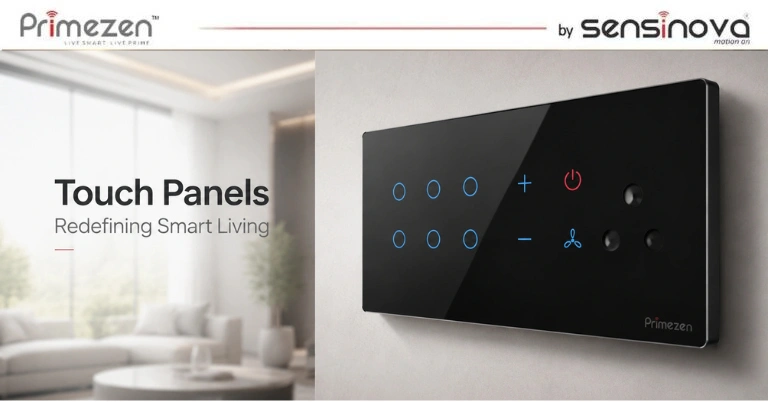
Introduction The way people interact with their homes is changing. For decades, traditional electrical switches have been the standard method of controlling lights, fans, and appliances. They are simple, reliable, and familiar. However, with the growth of smart home technology in India, homeowners are now looking for more intelligent solutions that provide better convenience, automation, and control. This has created an important question: Should you choose a smart touch panel or continue using traditional switches for your home? A smart touch panel offers advanced features such as centralized control, automation scenes, remote access, voice integration, and smart device connectivity. Traditional switches, on the other hand, provide basic manual control without automation capabilities. For homeowners building new properties, renovating existing homes, or designing luxury interiors, understanding the difference between these two technologies is essential before making an investment. The demand for smart home automation in India is increasing rapidly due to changing lifestyles, improved technology availability, and growing interest in connected living spaces. Modern homeowners want homes that are: More comfortable More secure Energy efficient Easier to manage Future-ready This is where smart touch panels and smart switch systems are becoming increasingly popular. What Are Traditional Electrical Switches? Traditional electrical switches are the conventional switches used in homes for controlling electrical devices manually. They operate through a simple mechanism where users physically press a button to turn devices ON or OFF. Common examples include: Light switches Fan regulators Socket switches Modular switches Traditional switches have been used in Indian homes for decades because they are: Affordable Easy to install Simple to operate Widely available However, their functionality is limited because they only provide manual control. Limitations of Traditional Switches While traditional switches are reliable, they lack advanced smart features. Some limitations include: 1. No Automation Traditional switches cannot automatically control devices based on time, activity, or user preferences. Example: A traditional switch cannot automatically turn off lights when nobody is in the room. 2. Multiple Switchboards Modern homes often have many electrical devices. This results in: Multiple switches Complex wiring Cluttered walls Large switchboards can affect interior aesthetics. 3. No Remote Control Traditional switches cannot be controlled when users are away from home. For example: You cannot turn on lights before reaching home. 4. Limited Energy Management Traditional switches provide no information about electricity usage or automation opportunities. What Is a Smart Touch Panel? A smart touch panel is an advanced touchscreen control system designed to manage multiple smart home devices from one interface. Instead of controlling devices individually through separate switches, users can manage their home through a centralized smart panel. A smart touch panel can control: Lights Fans Curtains Air conditioners Security systems Smart appliances Entertainment devices How Does a Smart Touch Panel Work? A smart touch panel works as part of a complete home automation ecosystem. The communication process is: User Command ↓ Smart Touch Panel ↓ Controller / Gateway ↓ Smart Devices ↓ Action Completed The panel communicates with connected devices using technologies such as: Wi-Fi Zigbee RF Wired automation protocols Smart Touch Panel vs Traditional Switches: Complete Comparison Feature Smart Touch Panel Traditional Switch Control Method Touchscreen Manual Button Design Premium Modern Look Basic Design Automation Yes No Remote Control Yes No Voice Control Yes No Smart Scenes Yes No Energy Management Available Limited Security Integration Possible Not Available Multiple Device Control Yes No Future Expansion Easy Limited Design and Aesthetic Difference Traditional Switches Traditional switches mainly focus on functionality. Although modern modular switches look better than older designs, they still require multiple switches installed together. This can create: Crowded walls More visible wiring Limited customization Smart Touch Panels Smart touch panels are designed to complement modern interiors. Benefits include: Minimal wall appearance Premium touchscreen interface Custom layouts Luxury appearance They are especially suitable for: Luxury apartments Villas Smart offices Premium interiors Convenience and User Experience Comparison The biggest difference between a smart touch panel and traditional switches is the level of convenience they provide. Traditional switches require users to manually operate each device separately. A smart touch panel creates a connected experience where multiple functions can be controlled from one place. Traditional Switch Experience With traditional switches: Each device requires separate control Users need to manually operate switches No automation is possible Multiple switchboards are required For example, entering a living room may require: Turning on the lights Adjusting the fan Closing curtains manually Operating entertainment devices separately Each action requires individual effort. Smart Touch Panel Experience A smart touch panel simplifies daily routines. With one touch, users can control multiple devices together. Example: Welcome Home Scene When you arrive home: Entrance lights turn ON Living room lights activate Curtains open Air conditioning starts Movie Mode One command can: Dim lights Close curtains Turn on entertainment systems Night Mode Before sleeping: Selected lights switch OFF Security sensors activate Bedroom environment adjusts This level of convenience is one of the biggest reasons homeowners are moving toward smart home automation systems. Automation Features Comparison Automation is where smart touch panels have a clear advantage over traditional switches. Traditional Switches Traditional switches only perform manual operations. They cannot: Schedule actions Create scenes Respond automatically Communicate with other devices Smart Touch Panels Smart touch panels allow homeowners to create intelligent automation routines. Common automation features include: 1. Scene Control Users can create customized scenes according to lifestyle needs. Examples: Morning Scene Lights gradually increase Curtains open Temperature adjusts Party Scene Decorative lights activate Music starts Main lighting changes Vacation Scene Security activates Selected lights operate automatically 2. Scheduling Smart touch panels can automate devices based on time. Examples: Outdoor lights turn ON at sunset Bedroom lights switch OFF at midnight Curtains open every morning This reduces manual effort. 3. Remote Access Many smart home systems allow users to control devices through smartphones. Examples: Turn lights ON before reaching home Check security status while travelling Control appliances remotely 4. Voice Control Integration Smart touch panels can integrate with voice assistants. Users can control devices through commands like: “Turn on… Continue reading Smart Touch Panel vs Traditional Switches: Which One Is Better for Indian Homes?
Smart Touch Panel for Home Automation in India: Complete Guide for Modern Homes
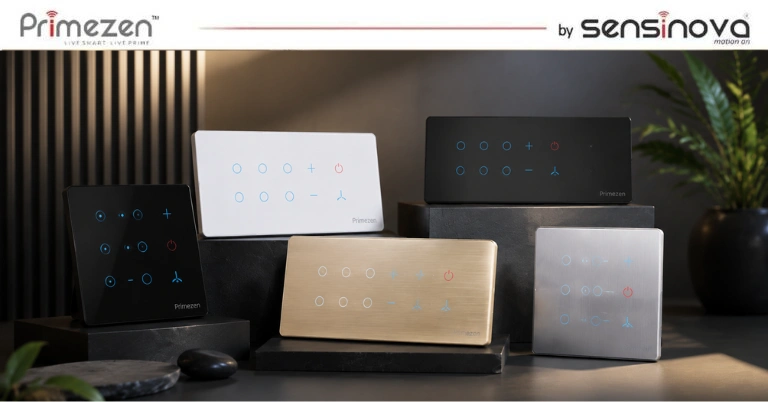
Introduction The way we interact with our homes is changing rapidly. Traditional switches are slowly being replaced by intelligent control systems that provide better convenience, security, and energy efficiency. A smart touch panel for home automation has become one of the most popular solutions for homeowners looking to create modern, connected living spaces. A smart touch panel allows users to control multiple devices such as lights, fans, curtains, air conditioners, security systems, and other smart appliances from a single elegant touchscreen interface. Unlike conventional switches that only perform basic ON/OFF functions, smart touch panels bring automation, customization, and intelligent control into everyday life. Home automation in India has experienced significant growth due to increasing awareness about smart living solutions and IoT-based technologies. Modern homeowners, architects, and interior designers are adopting smart switches, touch panels, sensors, and controllers to improve comfort and create future-ready homes. With advancements in wireless communication technologies like Wi-Fi, Zigbee, and RF, smart home solutions are becoming more accessible for apartments, villas, offices, and commercial spaces. A connected home is no longer limited to luxury properties. Today, smart automation solutions are becoming an important part of modern residential design. What is a Smart Touch Panel? A smart touch panel is an advanced wall-mounted touchscreen device that allows users to control different smart home functions from one central location. It works as the control centre of a smart home automation system by connecting multiple devices and allowing homeowners to manage them easily. For example, with a single touch, users can: Turn lights ON or OFF Adjust brightness levels Control fans and appliances Open or close curtains Activate security systems Create customized scenes Manage multiple rooms A traditional switch requires separate controls for different devices. However, a smart touch panel combines multiple functions into one intelligent interface. How is a Smart Touch Panel Different From Normal Switches? Traditional electrical switches have remained almost unchanged for decades. They perform simple functions but cannot communicate with other devices. A smart touch panel introduces intelligent features such as: Centralized Control Instead of managing multiple switches individually, homeowners can control several devices from one panel. Automation Scenes Users can create customized settings based on daily routines. Examples: Morning Mode Curtains open Bedroom lights turn on Coffee machine activates Movie Mode Lights dim Curtains close Entertainment system starts Away Mode Lights turn off Security activates Sensors start monitoring How Does a Smart Touch Panel Work? A smart touch panel works through communication between the panel, controller, and connected smart devices. The basic working process is: User Touch Input ↓ Smart Touch Panel ↓ Smart Controller / Gateway ↓ Connected Devices ↓ Action Completed When a user selects an option on the touchscreen, the command is sent to the smart controller. The controller communicates with connected devices and performs the required action. Communication Technologies Used in Smart Touch Panels Modern smart home systems use different communication technologies depending on the requirement. Wi-Fi Technology Wi-Fi-based systems are commonly used for easy installation and smartphone connectivity. Advantages: Easy setup Internet connectivity Smartphone control Zigbee Technology A Zigbee touch panel uses a low-power wireless communication protocol designed specifically for smart home applications. Benefits include: Stable connection Low energy consumption Better device communication Supports multiple smart devices Zigbee is widely preferred for professional home automation projects because of its reliability. RF Technology Radio Frequency communication allows devices to communicate wirelessly without depending on internet connectivity. It is commonly used for: Wireless switches Remote controls Sensors Components of a Smart Touch Panel System A complete smart home automation system includes multiple components working together. 1. Touch Panel Display The touchscreen interface allows users to control connected devices. Important features include: Responsive touch controls Modern design Custom layouts Scene selection Room-wise control 2. Smart Controller The controller acts as the brain of the automation system. It receives commands from the touch panel and communicates with connected devices. The controller manages: Lighting automation Security devices Sensors Appliances Smart scenes 3. Sensors Sensors make homes more intelligent. Examples: Motion sensors Door sensors Temperature sensors Light sensors They allow automation systems to respond automatically. 4. Smart Devices These include: Smart lights Smart switches Curtain controllers Security systems Smart appliances Together, these devices create a complete connected ecosystem. Benefits of Smart Touch Panels for Modern Homes 1. Elegant and Premium Home Design One of the biggest advantages of smart touch panels is their modern appearance. Traditional switches can make walls look cluttered, especially when multiple switches are required. Smart touch panels provide: Minimal design Premium finish Modern aesthetics Better interior appearance This makes them especially popular in luxury homes, villas, and premium apartments. 2. Complete Control From One Place Smart touch panels simplify daily activities by bringing multiple controls together. Instead of using separate switches, homeowners can manage: Lighting Fans Curtains Security Appliances from one central interface. 3. Improved Energy Efficiency Energy management has become one of the biggest advantages of smart home automation systems. A smart touch panel helps homeowners reduce unnecessary electricity usage by providing intelligent control over lighting and appliances. For example: Lights can automatically turn off when nobody is present. Brightness can be adjusted according to natural light. Devices can be scheduled according to daily routines. Energy-consuming appliances can be monitored and controlled. Smart lighting control helps create more energy-efficient homes while improving comfort. For modern Indian homes where electricity costs continue to increase, smart automation provides a practical solution for better energy management. 4. Enhanced Security and Safety Security is one of the primary reasons homeowners invest in smart home technology. A smart touch panel can integrate with multiple security devices, including: Smart door sensors Motion sensors Smart cameras Alarm systems Smart locks For example, when leaving home, users can activate an “Away Mode” that: Switches off unnecessary lights Activates security sensors Locks connected devices Monitors activity This provides homeowners with greater control and peace of mind. 5. Voice Control Integration Modern smart touch panels can work together with popular voice assistants, allowing users to control their homes through… Continue reading Smart Touch Panel for Home Automation in India: Complete Guide for Modern Homes